
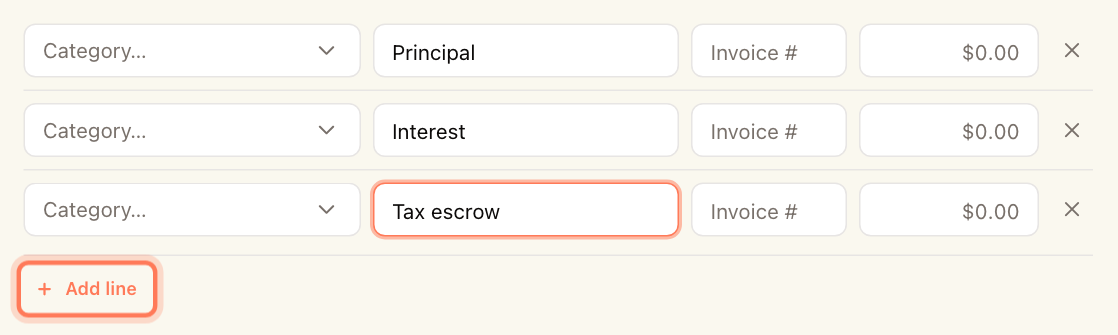
Some bills cover more than one kind of cost. A mortgage payment, for example, is part principal, part interest and part tax escrow. Instead of recording several expenses, record one expense with a line for each category. The expense total is the sum of the lines.
Every expense is made of category lines — a single-category expense simply has one line.
Split an expense
- Open the expense form: click Record expense in Expenses or on a property's Expenses tab, or click Edit on an existing expense.
- Fill in the Property, Vendor · account and Bill date as usual.
- On the first line, choose the Category, enter a Description if you like, the vendor's Invoice #, and the amount for that part.
- Click Add line and fill in the next part. Repeat for each category.
- To remove a line, click × at its end. The last remaining line can't be removed.
- Finish the rest of the form and click Record expense (or save your changes).
Every line needs a category and an amount greater than zero. If one doesn't, the form shows Every category line needs an account and a positive amount.
Each line has its own Invoice #, so one expense can settle several invoices from the same vendor.
See how an expense is split
Open the expense. Under Categories, each line shows its category, description, invoice number and amount, with the Total underneath.
If the expense is passed through to tenants, the whole expense total is split between the tenants — see Pass an expense through to tenants.