
Additional charges are billed on the tenant's invoices alongside the rent: utilities, parking, storage, a monthly CAM or tax escrow, or a one-time fee. Each charge has an amount, how often it recurs, a category and a date range. They live on the tenant's Lease tab under Additional Charges.
Add a charge
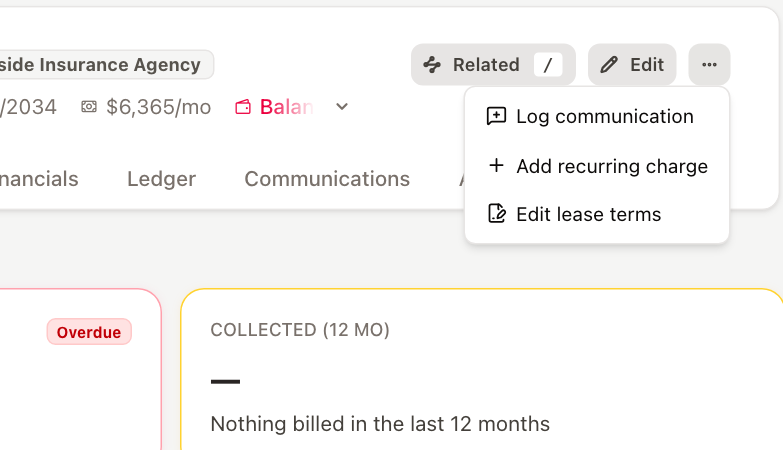
- Open the tenant. Either click the Lease tab and click + in the Additional Charges header, or click … in the tenant header and choose Add recurring charge.
- Fill in the charge:
- Description — how the charge appears on the invoice, for example Parking space.
- Amount ($) — the amount each time the charge is billed.
- Occurrence — how often it is billed, such as once, monthly or yearly.
- Category — the charge category, which decides how it is reported. Type to search the list.
- Start date — when billing begins.
- End date — when billing stops. Leave it empty for an open-ended charge.
- Click Save.
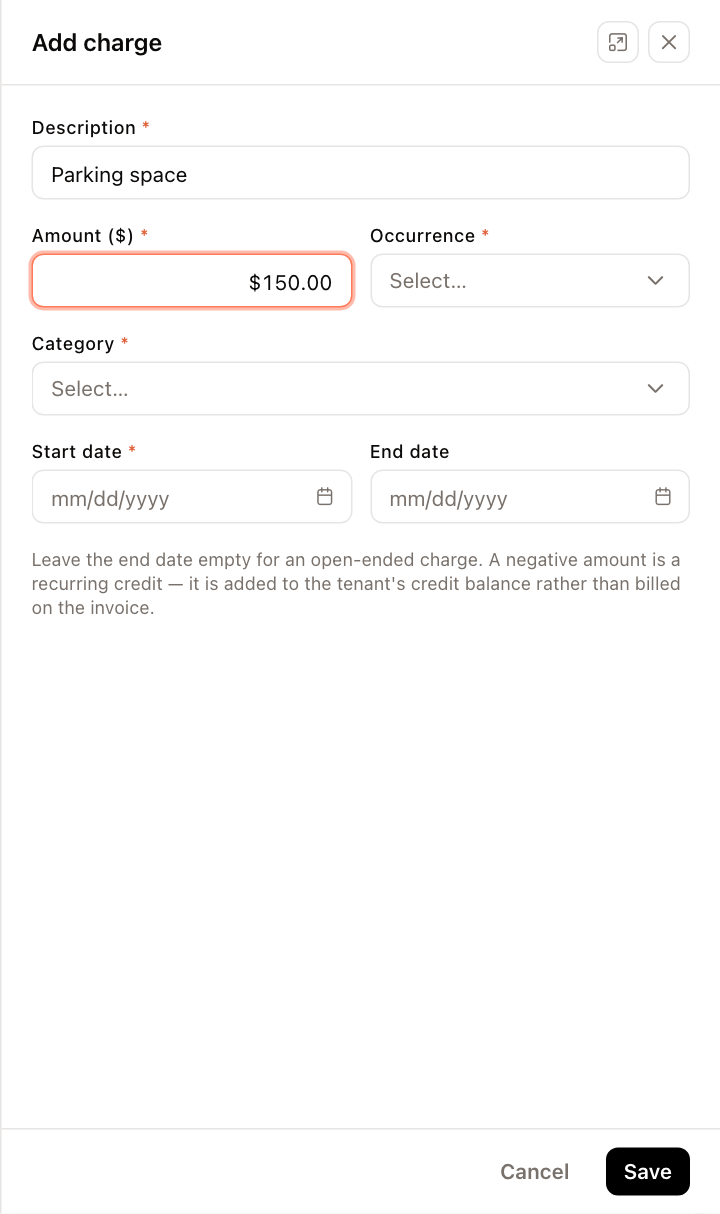
Enter a negative amount for a recurring credit, such as a rent concession. The credit is added to the tenant's credit balance instead of appearing as a negative line on the invoice.
Review charges
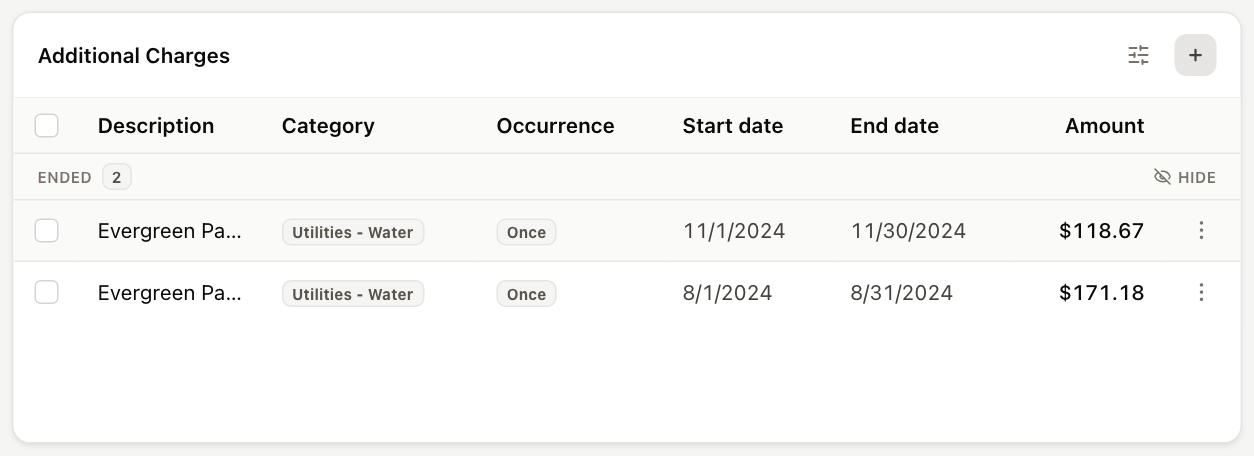
The Additional Charges table lists each charge's Description, Category, Occurrence, Start date, End date and Amount, grouped into Active, Upcoming and Ended.
Ended charges are hidden by default. Click Show ended (or use the display settings button in the card header) to see them, and Hide on the Ended band to hide them again.
Edit or delete charges
- To change a charge, click ⋮ (Options) on its row, or right-click the row, and choose Edit.
- To delete one, choose Remove from the same menu and confirm.
- To delete several, select them with the checkboxes, click Selected (N), and choose Delete selected (N).
To stop a recurring charge but keep its history, edit it and set an End date instead of deleting it.
Adding, editing and deleting charges requires permission to edit tenants.
Related tasks
- To bill a charge on one invoice only, add it to that invoice instead. See Add charges to invoices.
- To set Tax, CAM and Insurance charges from the property budget, see Set tenant NNN charges from the budget.
- For condo and co-op units, the same table is called Recurring Charges, on the Charges tab. See Set up a condo or co-op unit owner.