
Tenants on NNN leases pay their share of the property's real estate tax, common area maintenance (CAM) and insurance, usually as a monthly escrow charge. The Tenant Charges view works out each tenant's share from the property budget and their lease terms, next to what they're actually being billed, so you can bring the two in line. This is usually done at the end of the year, once next year's budget is set.
Before you start
- The property needs a budget for the year with its Tax, CAM and Insurance categories filled in. See Create a property budget.
- Each tenant's NNN responsibilities (whether they pay Tax, CAM and Insurance, and on what basis) are set on the tenant's lease. See NNN passthroughs.
Review the tenant charges
- Open the property, click the Budget tab, and select Tenant Charges at the top.
- Choose the year from the year list.
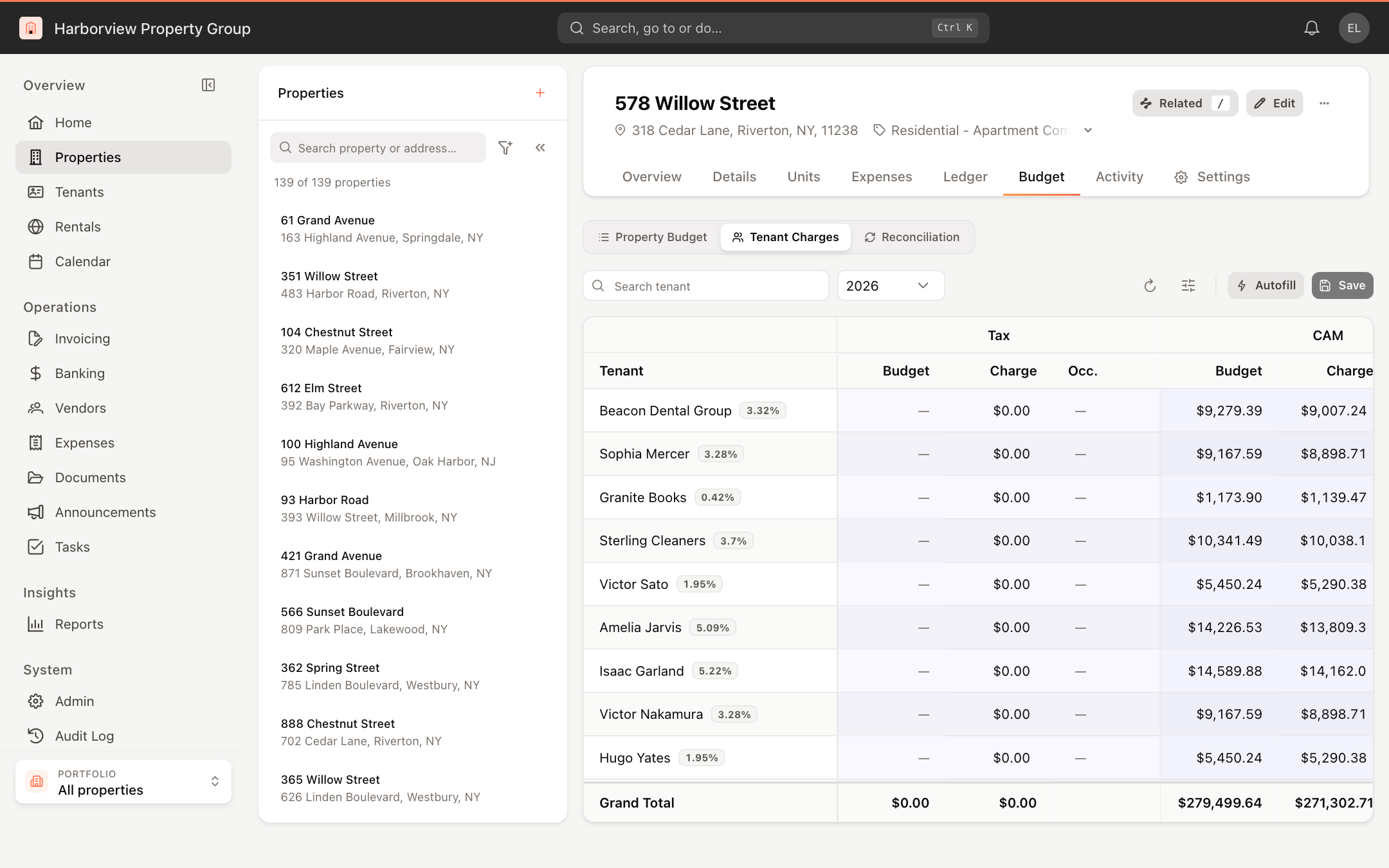
Each row is an active tenant, with their pro-rata share shown next to their name. For each of Tax, CAM and Insurance there are three columns:
- Budget: the tenant's annual share of that part of the property budget, based on their lease terms.
- Charge: the annual amount the tenant is billed through their recurring charges.
- Occ.: how often it's billed: Monthly, Yearly, or — when it isn't billed.
All amounts on this view are annual.
The Grand Total row adds up every tenant, so you can see at a glance whether the charges cover the budget.
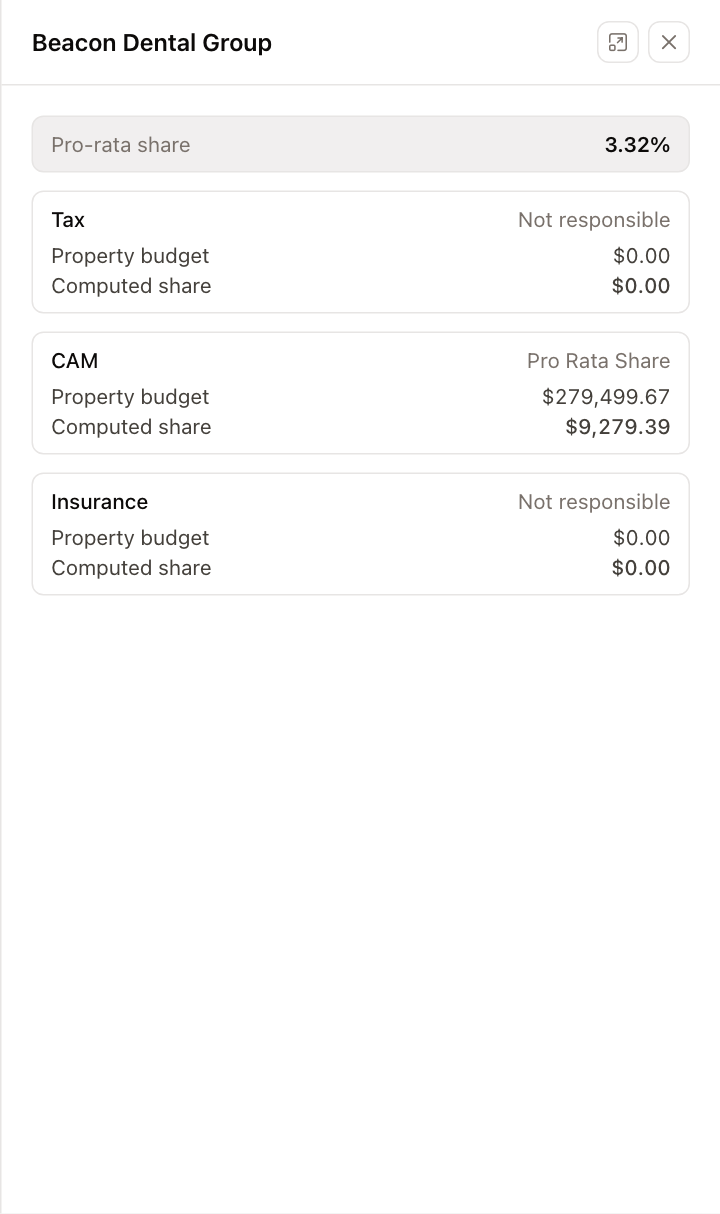
Click a tenant's row to see how their share is calculated: their Pro-rata share, and for each of Tax, CAM and Insurance whether they're responsible and on what basis, the Property budget, any Base amount, and the Computed share.
To show summary cards for Tenants, CAM budget, Budget share (all) and Charged (all), click Display settings and choose Show under Summary.
Update the charges
- Click Autofill. For every tenant, each charge they're responsible for is set to their budget share, and any charge that wasn't billed is set to Monthly.
- Adjust any amount or frequency by hand if needed.
- Click Save. Until you save, Discard undoes your changes.
Saving updates the Tax, CAM and Insurance charges on each changed tenant's recurring charges, so they appear on the next invoices you generate.
A charge with a frequency needs an amount, and a charge with an amount needs a frequency. If any row breaks this rule, nothing is saved and you're told which tenant to fix.
Autofill and Save require permission to modify budgets.