
On a net lease, the tenant pays a share of the property's operating costs on top of rent. UnitConnect tracks three passthrough categories for each tenant: Real estate tax, CAM (common area maintenance) and Insurance. For each one you choose whether it is passed through and how the tenant's share is worked out. The budget, NNN charges and CAM reconciliation all use these settings.
How each base type works
| Base type | The tenant pays | Needs an amount |
|---|---|---|
| Pro Rata Share | Their ProRata share percentage of the property's cost | No |
| Base Year Increase | Their share of the increase over a base-year amount | Yes — the base-year cost |
| Flat Rate | A fixed amount | Yes |
The tenant's pro-rata share is set with the other lease terms. See Edit lease terms, deposit and fees.
Review a tenant's passthroughs
Open the tenant, click the Lease tab, and look at NNN Passthroughs under Lease Info. Each category shows its base type and, for base year and flat rate, the amount — or Not passed through.
Change the passthroughs
- In NNN Passthroughs, click the pencil (Edit passthroughs).
- For each of Real estate tax, CAM (common area maintenance) and Insurance:
- Turn the switch on (Passed through) or off (Not passed through).
- When it is on, choose the Base type.
- For a base year or flat rate, enter the Base-year amount ($).
- Click Save changes.
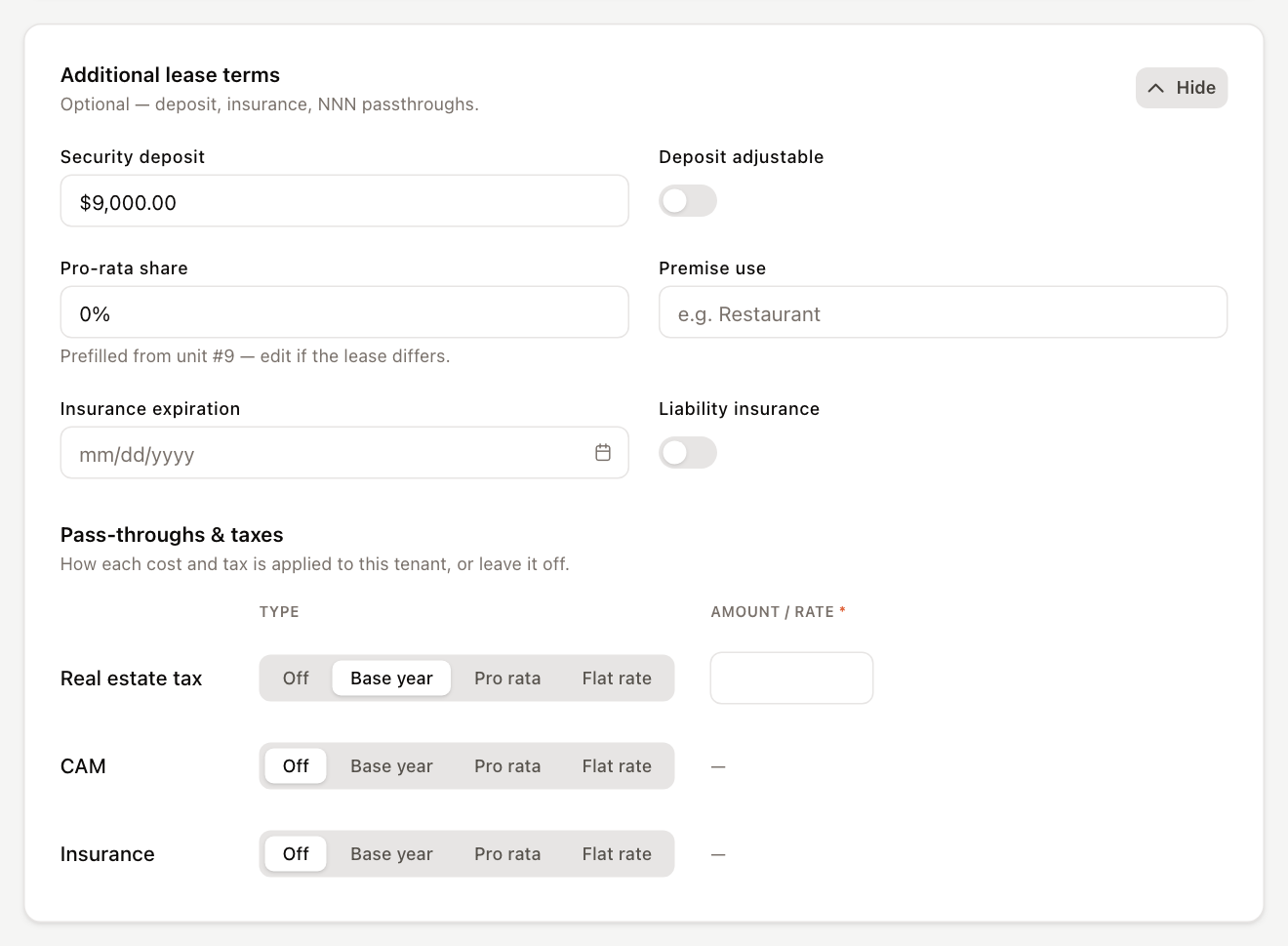
When you create a tenant, you can set the same thing in the wizard under Pass-throughs & taxes, where the choices are Off, Base year, Pro rata and Flat rate.
Changing passthroughs requires permission to edit tenants. For condo and co-op units, only common charges can be allocated; see Set up a condo or co-op unit owner.
Next steps
Passthrough settings say how a tenant shares costs. The amounts they're billed during the year are recurring charges:
- Set tenant NNN charges from the budget updates each tenant's Tax, CAM and Insurance charges from the property budget.
- Perform a CAM reconciliation settles the difference at year end.