
The email digest is one email, on weekdays, that brings your day together: what needs your attention right now, and a short recap of what happened since your last digest. It's a summary, so it doesn't replace the emails you already get for single events — you can keep those, turn them off, or use both.
The digest is off until you turn it on, and it's your own choice: it doesn't change what other users receive. It covers the properties you can open, and shows only what your permissions let you see.
Turn on your digest
- Click Admin in the sidebar, then Notifications (under Communications).
- Click the Email digest tab.
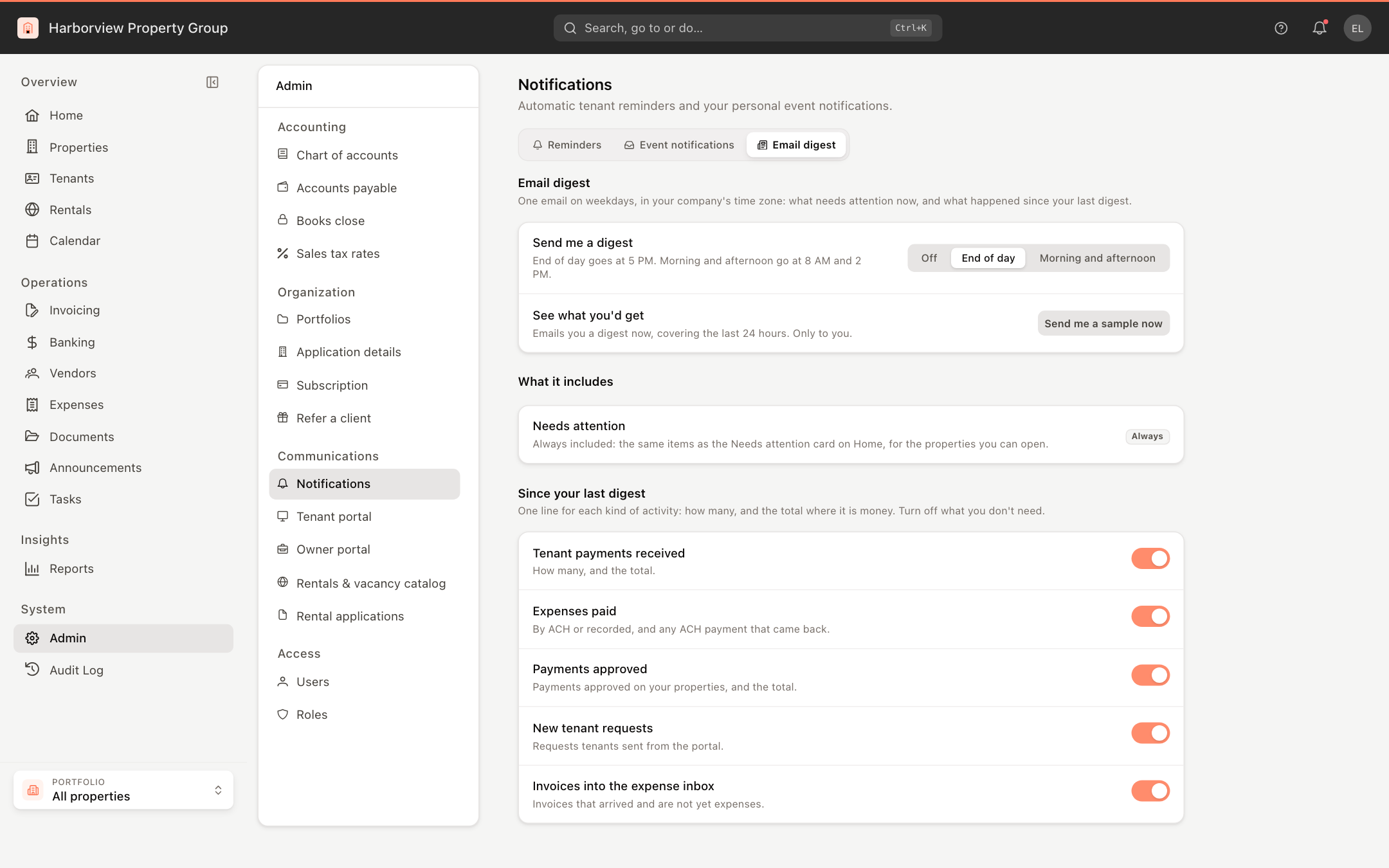
- Next to Send me a digest, choose when it comes:
- End of day — at 5 PM.
- Morning and afternoon — at 8 AM and 2 PM.
- Off — no digest.
Times are in your company's time zone, Monday to Friday. Your choice saves as soon as you click it.
What the digest contains
Needs attention lists what's open now: the same items as the Needs attention card on your Home dashboard, such as overdue expenses, invoices waiting in the expense inbox, payments waiting for your approval, unassigned tenant requests, and leases or insurance about to expire. It's always included. Each item has an Open link to the matching list.
Since your last digest has one line for each kind of activity, with how many and, where it's money, the total — for example, "12 tenant payments received · $14,200". Each line has a View link. Monday morning's digest covers the weekend.
Nothing to report means no email that day.
Choose what the recap covers
While your digest is on, the Email digest tab lists the recap lines under Since your last digest, each with a switch:
- Tenant payments received
- Expenses paid — by ACH or recorded, and any ACH payment that came back.
- Payments approved
- New tenant requests
- Invoices into the expense inbox
All of them start on. Turn off the lines you don't need. These switches only change the digest: the emails and bell notifications you get for each event stay as you set them on the Event notifications tab.
See a sample first
Click Send me a sample now to get a digest straight away, covering the last 24 hours. It goes only to you, and you can send one whether your digest is on or off.
The digest goes to the email address on your user profile, or to your username when that's an email address. With neither, no digest is sent.