
The Audit Log is the permanent record of changes in your UnitConnect account — invoices emailed, charges added, payments recorded, vendors deactivated, and more. Use it to answer "who changed this, and when?".
The Audit Log needs permission to view activity. If Audit Log isn't in your sidebar, ask your UnitConnect administrator.
Open the Audit Log
In the sidebar, click Audit Log (under System). You can also click View all on the Recent activity card on Home.
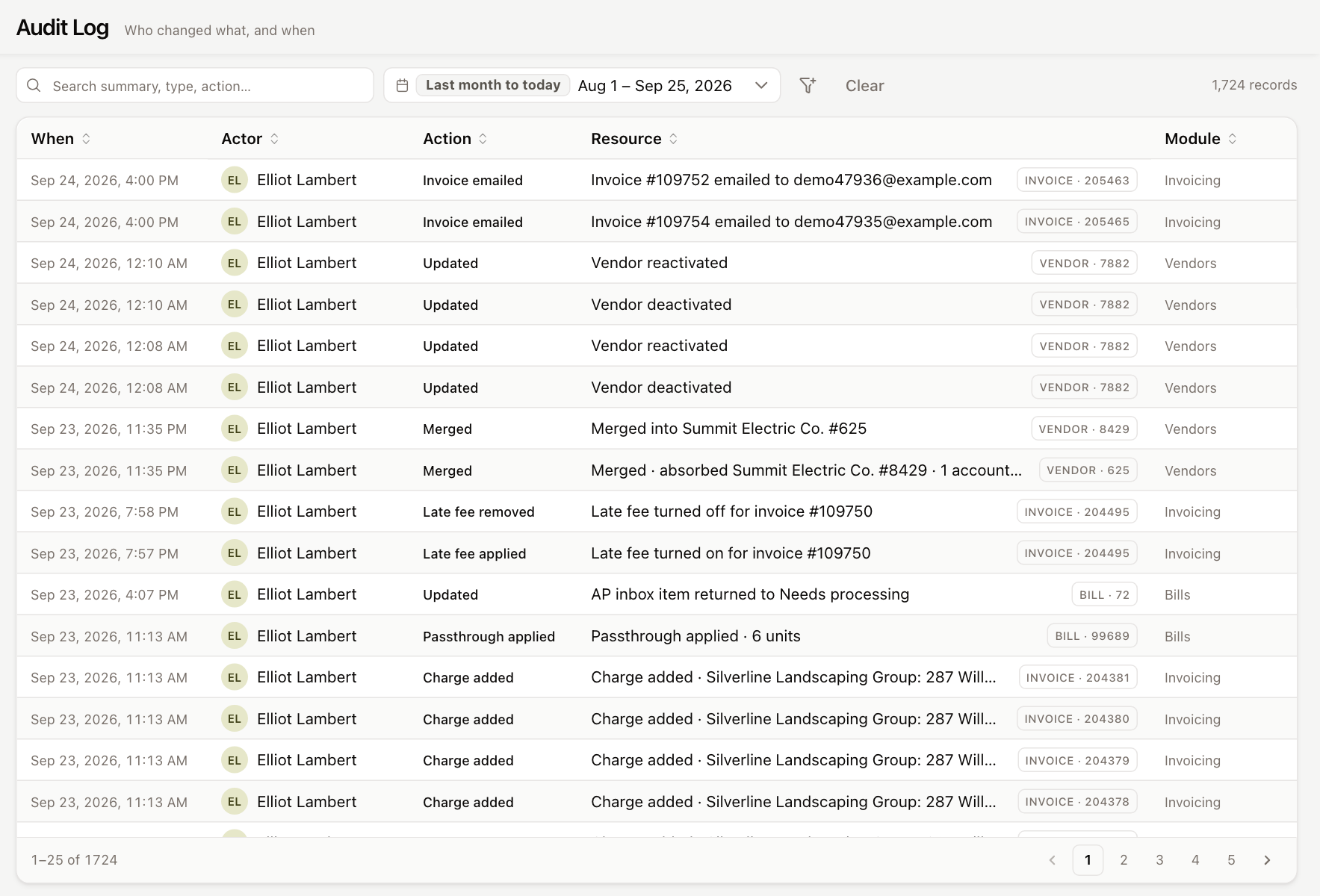
Each row shows:
| Column | Shows |
|---|---|
| When | The date and time of the change. |
| Actor | The user who made the change, or System for automatic changes. |
| Action | What happened, such as Created, Updated, Payment recorded or Late fee applied. |
| Resource | A summary of the change, and the type and number of the record it affected. |
| Module | The area of UnitConnect the change came from, such as Invoicing or Vendors. |
Click a column heading to sort. The total number of matching records is shown on the right of the filter bar, and the page buttons at the bottom move through the results.
Filter the log
- Search summary, type, action… — type any words from the summary, record type or action.
- Date range — pick a preset such as Last 30 days or All time, or set your own dates.
- More filters (the funnel icon) — narrow by Actor, Entity (the record type, such as Tenant, Invoice or Vendor) and Action.
Click Clear to remove all filters.
Your filters are part of the page address. Copy the address from your browser to share exactly what you're looking at with a colleague.
See the details of a change
Click a row to open its details on the right.
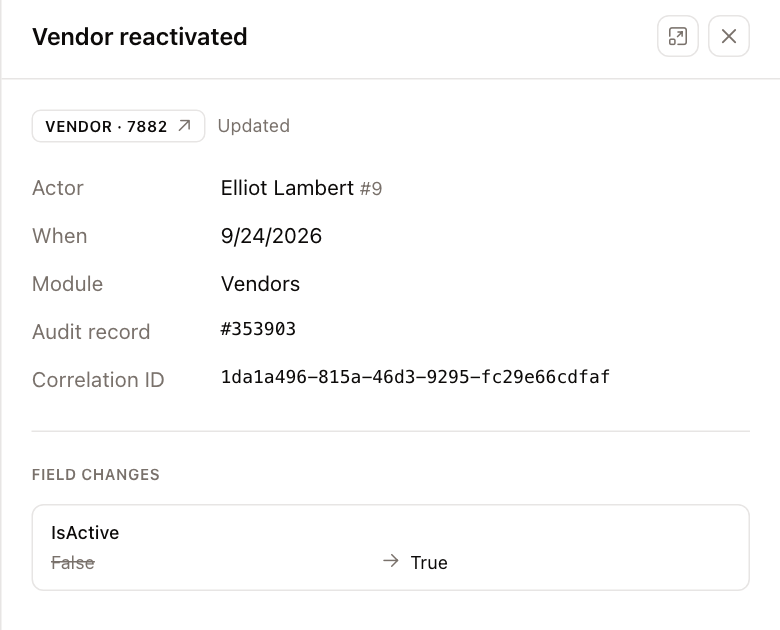
The panel shows the Actor, When, Module, the Property it relates to (when there is one), and the Audit record number. Under Field changes, each changed field is listed with its old value crossed out and its new value next to it. Some actions have No field-level detail for this action.
Click the record chip at the top of the panel (for example VENDOR · 1234) to open that record.
Activity for one record
Properties and vendors also have an Activity tab that shows the same history for just that record.