
Home is the first page you see after you sign in. It gives you a snapshot of your portfolio — what has been billed and collected, which balances are ageing, and what's coming up — with a link from each card to the page where you can act on it.
To come back to it from anywhere, click Home in the sidebar or press G then H.
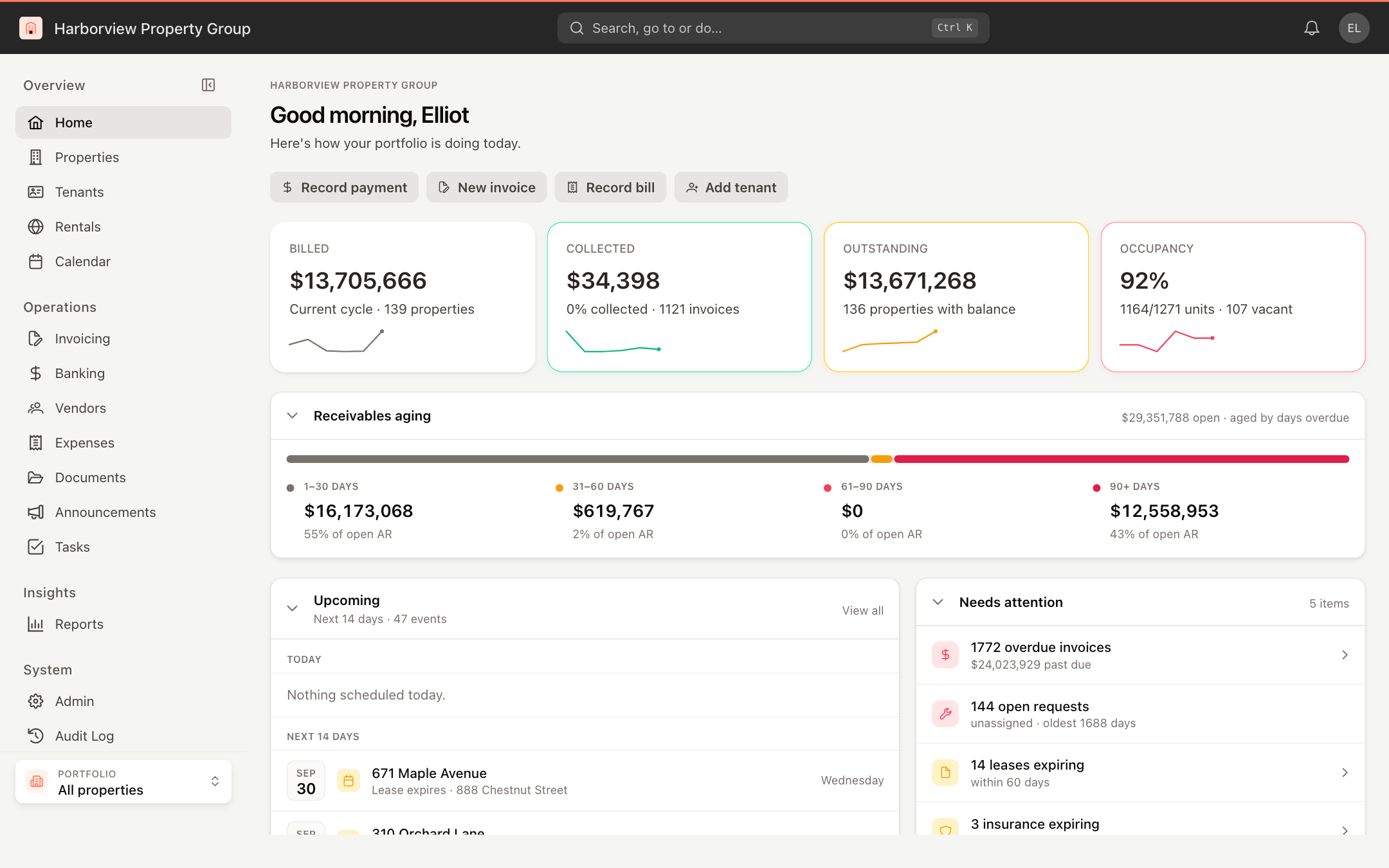
Every figure on Home follows the portfolio selected at the bottom of the sidebar. Choose All properties to see everything you have access to. See Switch between portfolios.
Get started checklist
In a new account, a Get started card walks you through Set up your workspace in three steps:
- Add a property — click Add property.
- Add a tenant — available once you have a property.
- Create invoices — available once you have a tenant.
Each step is ticked off automatically when it's done, and the card disappears when all three are complete. Click Skip setup to hide it sooner.
Quick actions
The buttons under the greeting start common tasks: Record payment, New invoice, Record bill and Add tenant. If you don't have any properties yet, they are Add property, Add tenant and Create invoices instead.
Key figures
Four cards summarize the current billing cycle for the properties in scope. Each has a small trend line for recent months, and clicking a card opens the related page.
| Card | What it shows |
|---|---|
| Billed | The total billed this cycle, and the number of properties. |
| Collected | The amount collected, the percentage of billed that's collected, and the number of invoices. |
| Outstanding | The amount still open, and how many properties have a balance. |
| Occupancy | The percentage of units occupied, with occupied, total and vacant unit counts. |
Receivables aging
Receivables aging splits your open tenant balances by how many days they are overdue: 1–30 days, 31–60 days, 61–90 days and 90+ days. Each bucket shows the amount and its share of the total open balance.
Upcoming and Needs attention
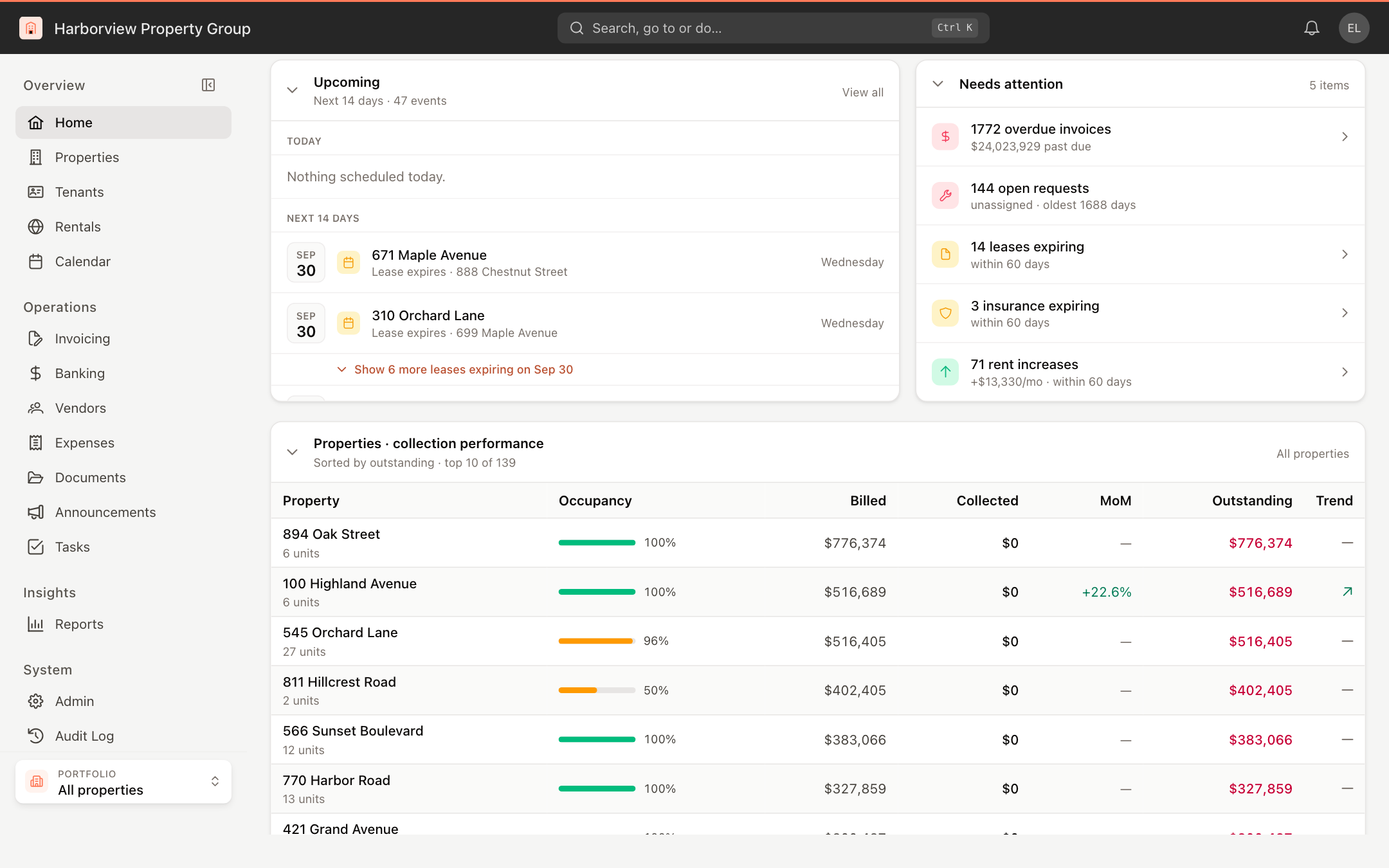
Upcoming lists what's due in the next 14 days, grouped by day: lease expirations, move-ins, insurance expirations, rent increases, calendar events and scheduled automations. Click a tenant item to open the tenant. Click View all to open a side panel where you can look further ahead (14 days, 30 days or 90 days) and filter by kind of event (Leases, Rent increases, Automations, Events).
Needs attention collects the items worth acting on today, such as overdue invoices, open maintenance requests that aren't assigned, leases and insurance expiring within 60 days, and rent increases coming up within 60 days. Click an item to go to the matching list.
More cards further down
Scroll down for:
- Properties · collection performance — the properties with the largest outstanding balances, with occupancy, billed, collected, month-over-month change (MoM) and outstanding amounts. Click a property to open it, or click All properties to see the full list.
- Upcoming rent increases — scheduled rent changes. Click All tenants to go to the tenant list.
- Recent payments — the latest tenant payments. View all opens Invoicing.
- Recent activity — the latest changes in your account. View all opens the Audit Log.
- Your tasks — open tasks assigned to you. View all opens Tasks.
Click a card's title to collapse or expand it. UnitConnect remembers which cards you collapsed on this device, so you can keep Home down to the cards you use.