
If invoices were created by mistake — for the wrong cycle, or before a tenant's lease was set up correctly — you can delete them and create them again.
Deleting an invoice permanently removes it and reverses its ledger entries and any payments applied to it. This can't be undone. If a tenant has paid, you will need to record the payment again after you recreate the invoice.
What can be deleted
Only a tenant's most recent invoice can be deleted. Each invoice carries the unpaid balance of the one before it, so removing an invoice from the middle of that chain would break it. To go back further, delete the newest cycle first, then the one before it.
When you delete a tenant's latest invoice, the previous invoice becomes the tenant's current invoice again.
Delete one invoice
- In Invoicing, hover over the invoice's row and click ⋮ (or right-click the row).
- Choose Delete invoice.
- Read the message and click Delete invoice to confirm, or Cancel.
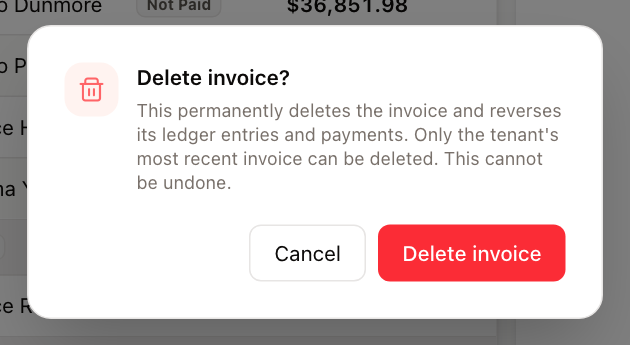
If the invoice isn't the tenant's most recent one, UnitConnect tells you it can't be deleted.
Delete all of a property's invoices for the cycle
- Choose the billing cycle at the top of the page.
- Click ⋮ on the property's header row and choose Delete Invoices.
- Confirm. The message says how many invoices will be deleted.
Only invoices that are each tenant's most recent one are included. If none qualify, Delete Invoices is unavailable; delete the newer cycle first.
Delete a selection
Tick the invoices you want to remove, click Actions at the bottom of the list, and choose Delete. Invoices that have a newer invoice after them are left out.
After a bulk delete, the dialog reports how many invoices were deleted and the reason for any that couldn't be.