
The Settings tab controls how a property behaves rather than what it is: whether its invoices carry sales tax, when its fiscal years start, how far its books are closed, and which automated notices its tenants get. To open it, click Properties in the sidebar, select the property, and click Settings.
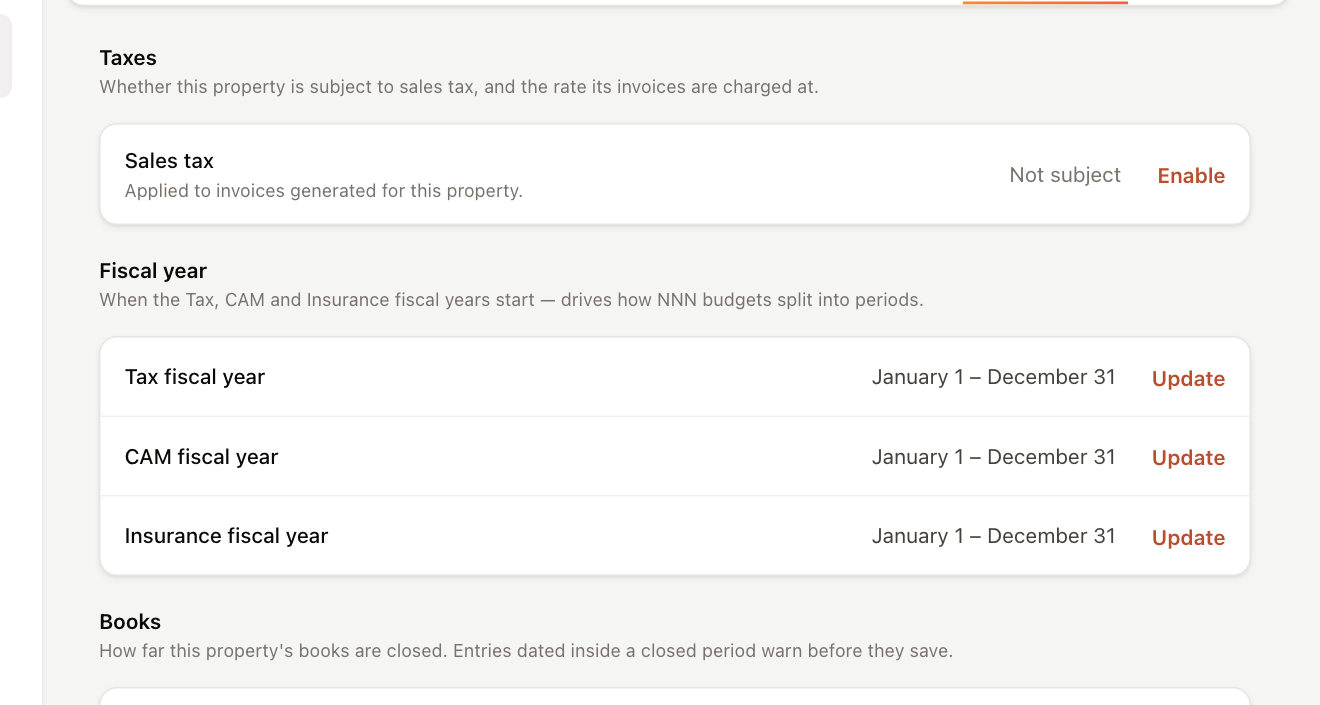
Changing these settings requires permission to edit properties. Without it, you can see the values but the Enable and Update links are hidden.
Sales tax
Some states require sales tax on rental income. When a property is subject to sales tax, UnitConnect adds it to the taxable charges on the invoices generated for that property.
- In the Taxes section, click Enable next to Sales tax (or Update if it's already on).
- Turn on Subject to sales tax.
- Under Rate, choose one:
- Use a published rate, then pick the rate for the property's location in Sales-tax rate.
- Custom rate, then enter the percentage.
- Click Save Changes.
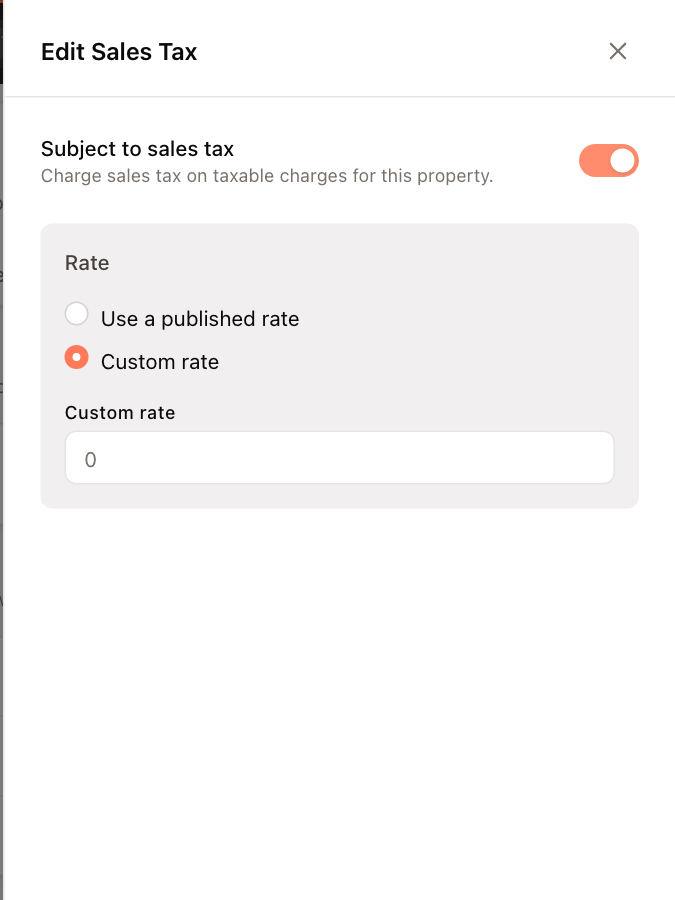
To stop charging sales tax, open the panel again, turn off Subject to sales tax, and save.
The published rates come from your company's sales tax rate list, which an administrator maintains in Admin.
Fiscal years
Each property has three fiscal years, one each for Tax, CAM and Insurance. They control how the property's NNN budget amounts are split into periods. A fiscal year that isn't set follows the calendar year (January 1 to December 31).
- In the Fiscal year section, click Update next to any of the three rows. One panel edits all three.
- For each fiscal year, choose the month and day it starts. The panel shows the day it runs through.
- Click Save Changes.
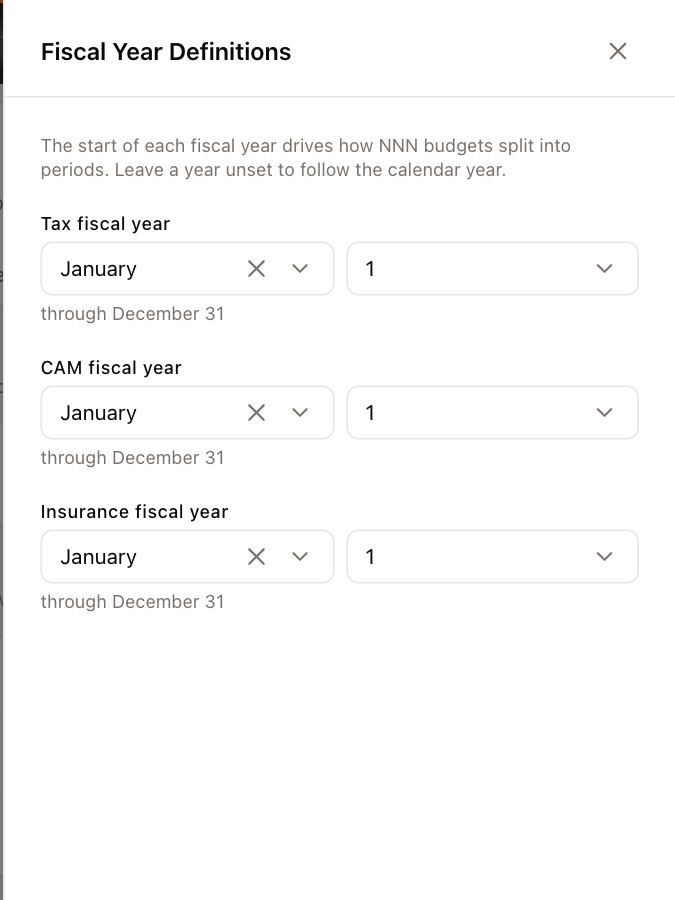
To go back to the calendar year for one of them, clear its month.
Books
The Books section shows the date the property's books are closed through. To close or reopen a period, see Close the books.
Tenant notifications
The Tenant notifications section lists the automated notices your company has set up, such as unpaid invoice reminders, with their schedule.
- Turn a notice's switch on or off to decide whether this property's tenants receive it.
- When you turn one on, you're asked whether to Also activate for all current tenants. Select it to switch the notice on even for tenants who were switched off individually. New tenants follow the property's setting either way. Click Activate to confirm.
- Also to managers means property managers get a copy of the notice.
- Click the gear icon to edit the notice itself (its message, schedule and recipients) in Admin → Notifications.
Notices listed under Inactive for organization don't send until an administrator turns them on for the whole company.
Terminate the property
The Danger Zone section at the bottom holds Terminate. See Terminate or reactivate a property.