
DirectPay lets tenants pay rent electronically by ACH (eCheck) or credit card. Payments settle into the bank account the DirectPay merchant account is set up on. Merchant accounts are provided and reviewed by Forte Payment Systems.
Apply for DirectPay
- In the sidebar, click Banking and select the account that should receive payments.
- Open the DirectPay tab. It describes the application process and lists the services and fees.
- Click Apply for DirectPay and complete the four steps:
- Company — the business that receives the funds: legal name, tax ID, address and phone. P.O. boxes are not accepted.
- Principal — the owner or principal. Only the last four digits of the SSN are required. Use Select an owner on file to fill in the form from an existing owner, when one is available.
- Bank & limits — routing and account numbers, deposit and withdrawal limits, and the accepted payment methods.
- Terms — review the fee summary and accept the terms.
- Click Submit application.
You need an existing business bank account; personal accounts are not accepted. Forte reviews applications within about 24 hours and emails you directly if it needs more information. While the application is under review the tab shows Application pending review, and the account header shows DirectPay pending.
Manage DirectPay
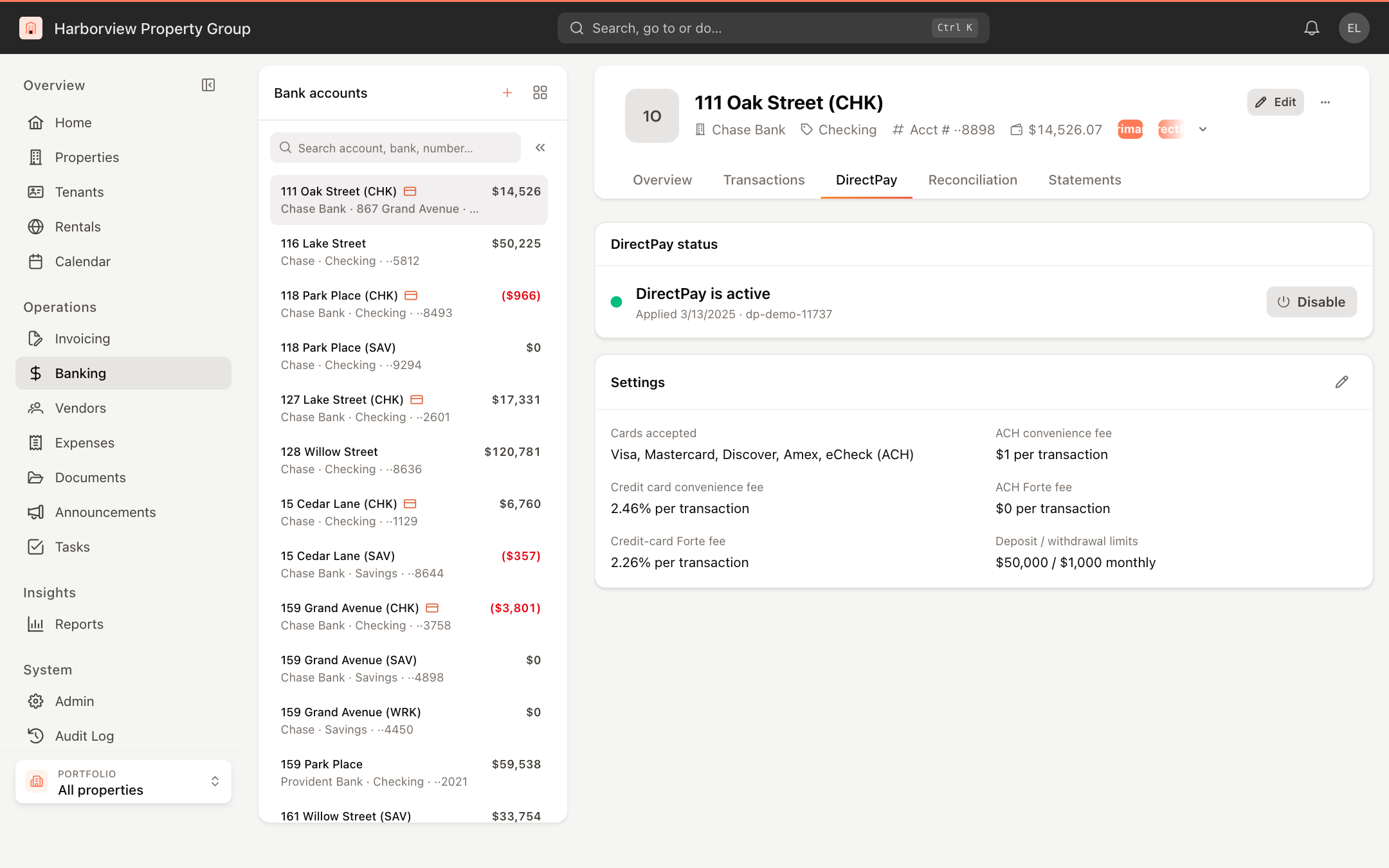
Once approved, the DirectPay status card shows whether DirectPay is active:
- Click Disable to stop accepting electronic payments into this account, or Enable to turn them back on.
- The Settings card shows the accepted cards, convenience fees, Forte fees and monthly deposit and withdrawal limits. Click the pencil icon to change the ACH convenience fee, Card convenience fee (%), accepted cards and limits.
A convenience fee is passed through to tenants to offset the cost of electronic payments.
Applying for and managing DirectPay requires permission to manage DirectPay.