
Owners can run the reports you choose, for any month you've published. The same reports are saved as PDFs when you publish a month, and they open its management report.
Changing the lists needs the Publish to Owner Portal permission.
The company's list
- Click Admin in the sidebar, then Owner portal, then Reports.
- Under Reports Owners Can Run, tick the reports every property offers, and click Save.
Offer every report puts all of them back on the list. Former Owners' Balances sets whether boards see money still owed by someone who has since sold their unit: Show, apart from current owners puts it on its own line, Hide from boards leaves it out everywhere in the portal. Your own reports always include it.
One property's list
- Open the property, click the Owner Portal tab, then Reports.
- Under Reports Owners Can Run, choose This property, tick its reports, and click Save. Company list goes back to following the company's.
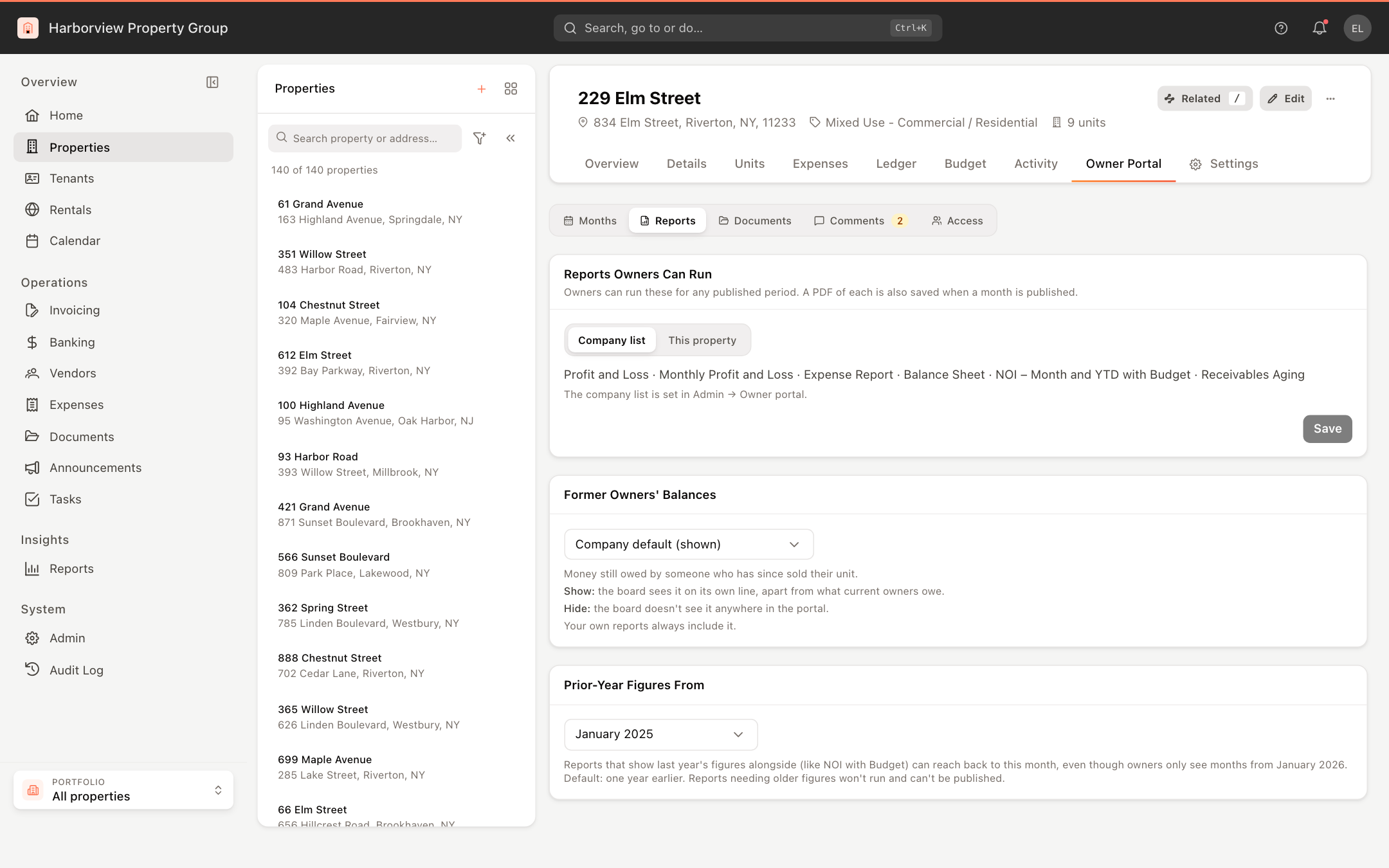
On the same view, Former Owners' Balances can differ from the company's default for this property, and Prior-Year Figures From sets how far back a report that shows last year's figures beside the period (like NOI with Budget) may reach, even though owners only see months from Owners Can See From. By default it is one year earlier. A report that needs older figures than this won't run, and the month can't be published with it on the list.