
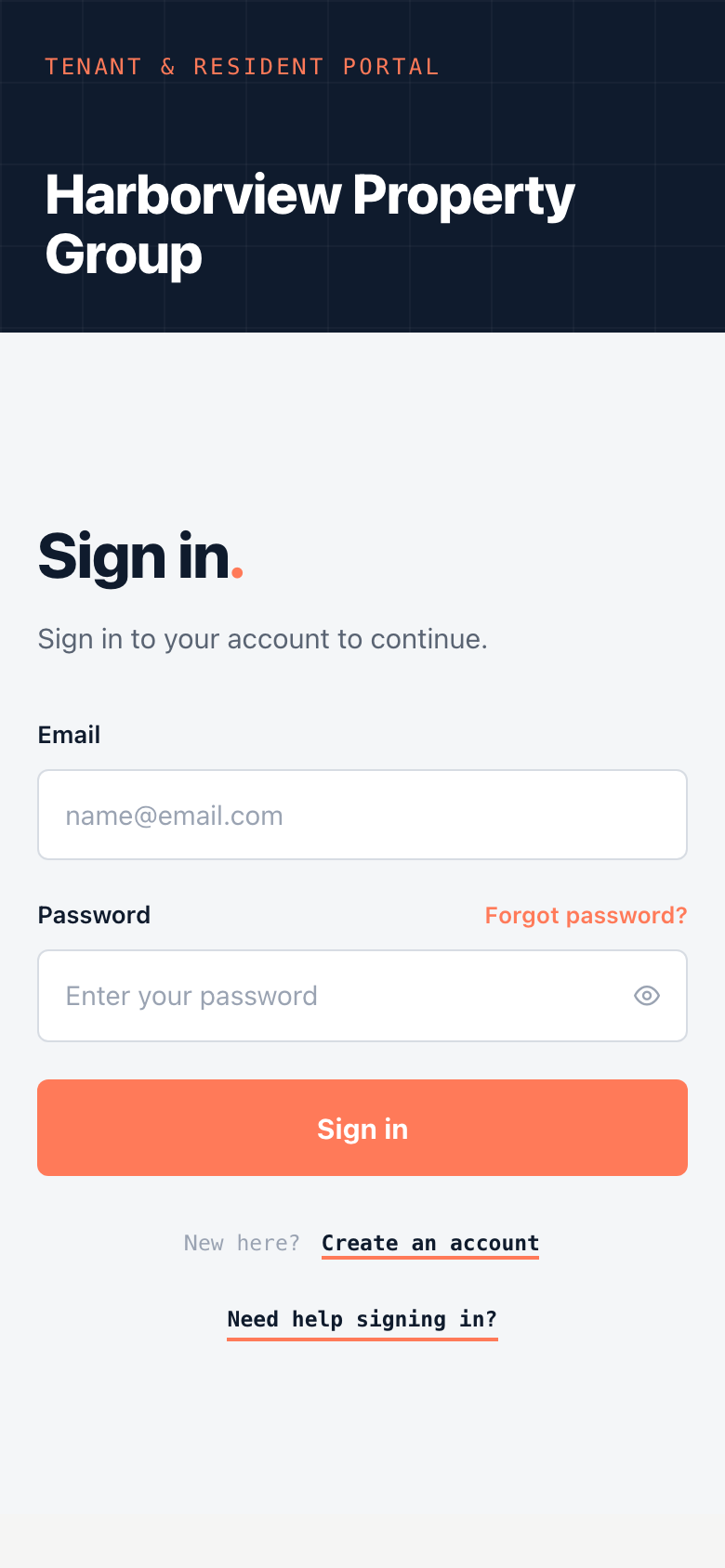
Your tenant portal belongs to your property management company, and each company has its own address, such as harborview.unitconnect.com/tenant. The sign-in page shows your property manager's name.
Sign in
- Open your property manager's portal.
- Enter your Email and Password. Click the eye icon to check what you typed.
- Click Sign in.
The portal opens on your home page, or on the page you were trying to reach before you signed in.
Find your portal
If you don't know your portal's address:
- Go to tenant.unitconnect.com.
- Enter the email address your property manager has on file, then click Continue.
What happens next depends on what the portal finds:
- One portal: you go straight to its sign-in page, with your email filled in.
- More than one property manager: choose the one you want from the list.
- No portal found: check that you used the email your property manager has on file, or click Find your property manager to look them up by name.
If you can't sign in
- Forgot your password? Click Forgot password? on the sign-in page. See Reset your password.
- No account yet? Click Create an account. See Create your portal account.
- "This account is locked." Contact your property manager. They can unlock it.
- "Session expired — sign in again." The portal signs you out after a period of inactivity. Sign in again to carry on.