
To create an account you need one of two things: the invite code from your property manager's invitation, or the details of the last statement they sent you.
Register with an invite code
- Open the registration page in one of two ways:
- On your property manager's sign-in page, click Create an account.
- Or go to tenant.unitconnect.com, click Create an account, enter your Invite code and click Continue. You go to your property manager's portal with the code filled in.
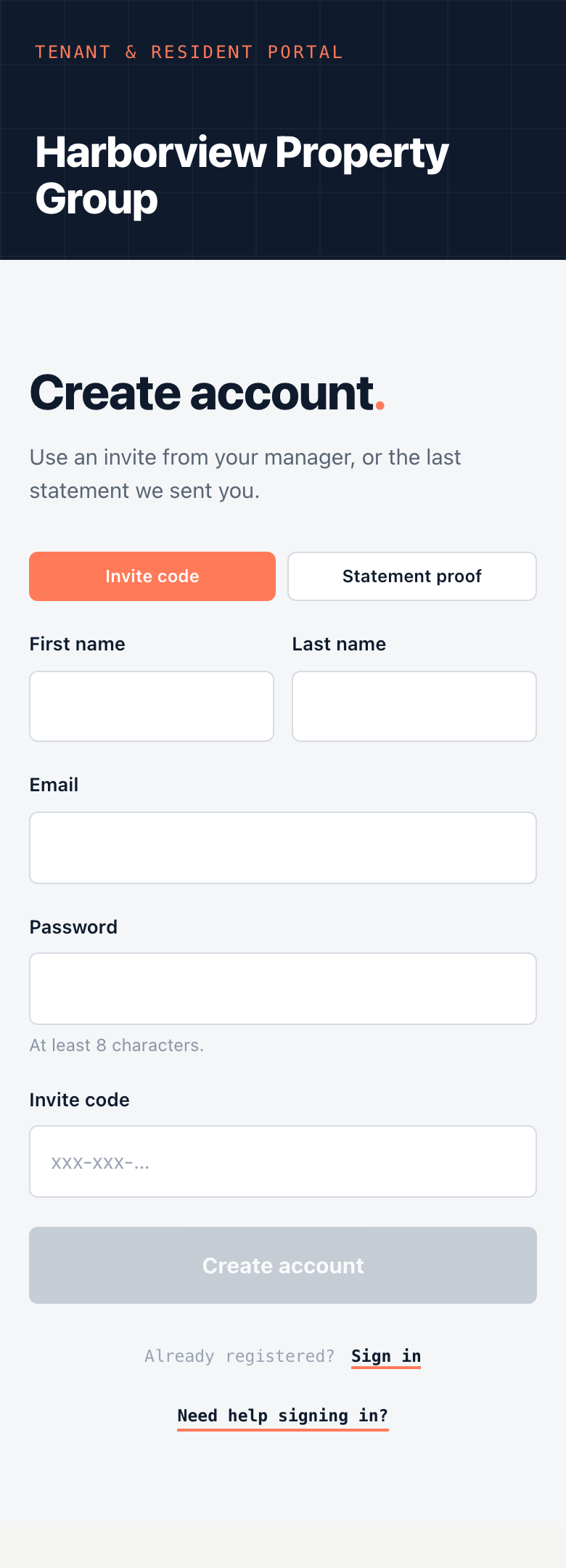
- Make sure Invite code is selected.
- Enter your First name, Last name, Email and a Password of at least 8 characters.
- Enter the Invite code, if it isn't filled in already.
- Click Create account.
You are signed in and taken to your home page.
Register with your last statement
If you don't have an invite code, you can prove the account is yours with your most recent statement.
- On your property manager's sign-in page, click Create an account.
- Select Statement proof.
- Enter your name, Email and Password.
- Enter the Account number, Last invoice number and Last paid amount from your last statement.
- Click Create account.
Note
If you have neither an invite code nor a statement, ask your property manager to send you an invitation.
Already registered? Click Sign in at the bottom of the page.