
Every property has its own general ledger. The Ledger tab shows each account that had activity in a period, with its debits, credits and balance, and lets you post manual journal entries for adjustments that don't come from an invoice, bill or bank transaction.
Open the ledger
- In the sidebar, click Properties and open the property.
- Click the Ledger tab.
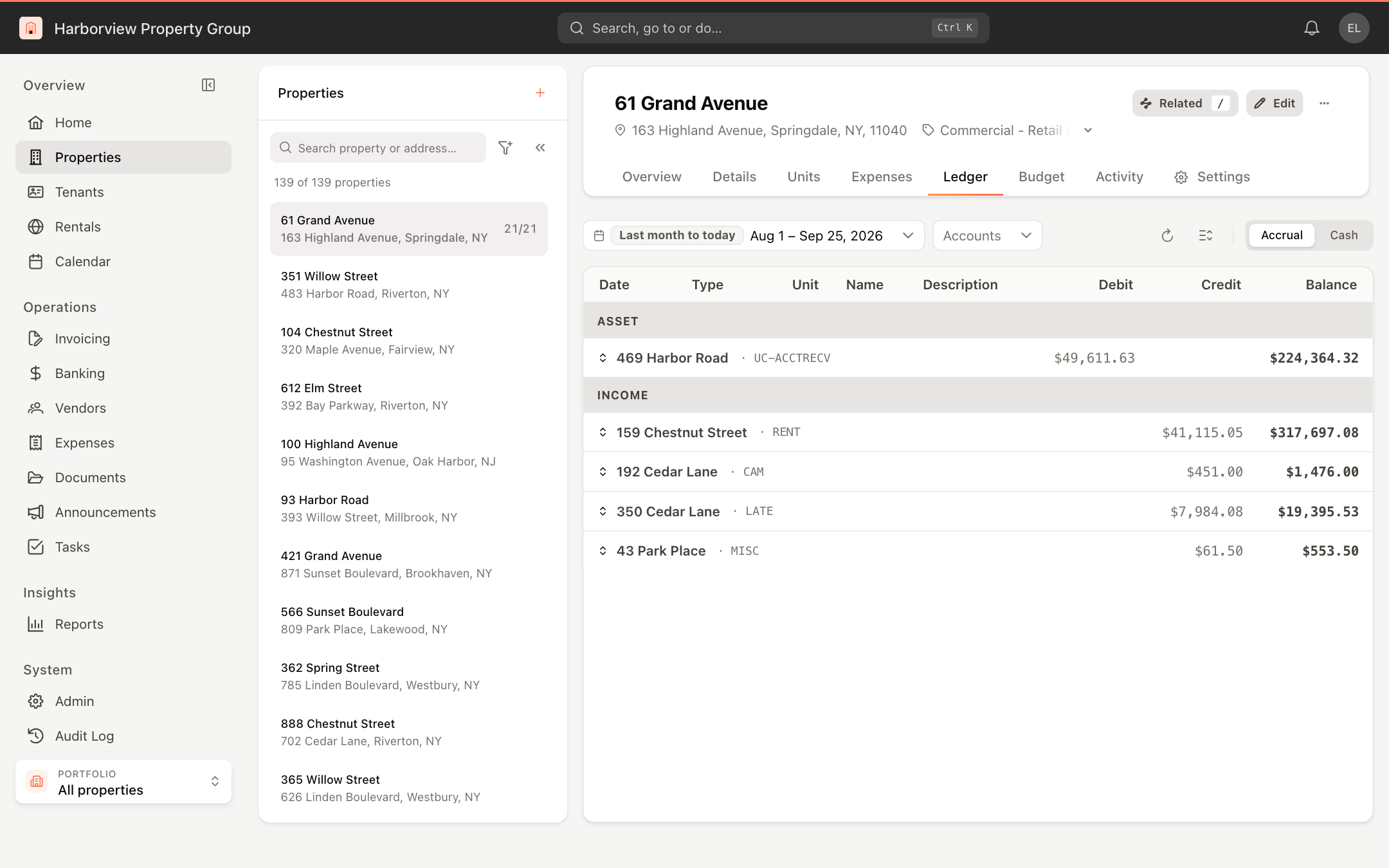
Accounts are grouped by type (for example Asset, Income, Expense). Every account opens collapsed, showing its totals; click an account to see its transactions, or use the Expand all groups / Collapse all groups button. Each transaction shows its Date, Type, Unit, Name, Description, Debit, Credit and running Balance.
Use the toolbar to change what you see:
- The date filter sets the period. It opens on last month to today.
- Accounts limits the register to the accounts you tick.
- Accrual or Cash switches the accounting basis.
Click any transaction to open its details: the source, date, unit and name, and the complete Journal entry with every debit and credit line.
Add a manual journal entry
- On the Ledger tab, click More actions (…) in the property header and choose Add Manual Transaction.
- Enter the Date and an optional Memo.
- On each line, choose a Category (account), add a line description, and enter a Debit or a Credit. Click Add line for more lines. An entry needs at least two lines.
- Check the Grand Total at the bottom. The entry can be saved only when debits equal credits and it shows ✓ Balanced.
- Click Add Transaction.
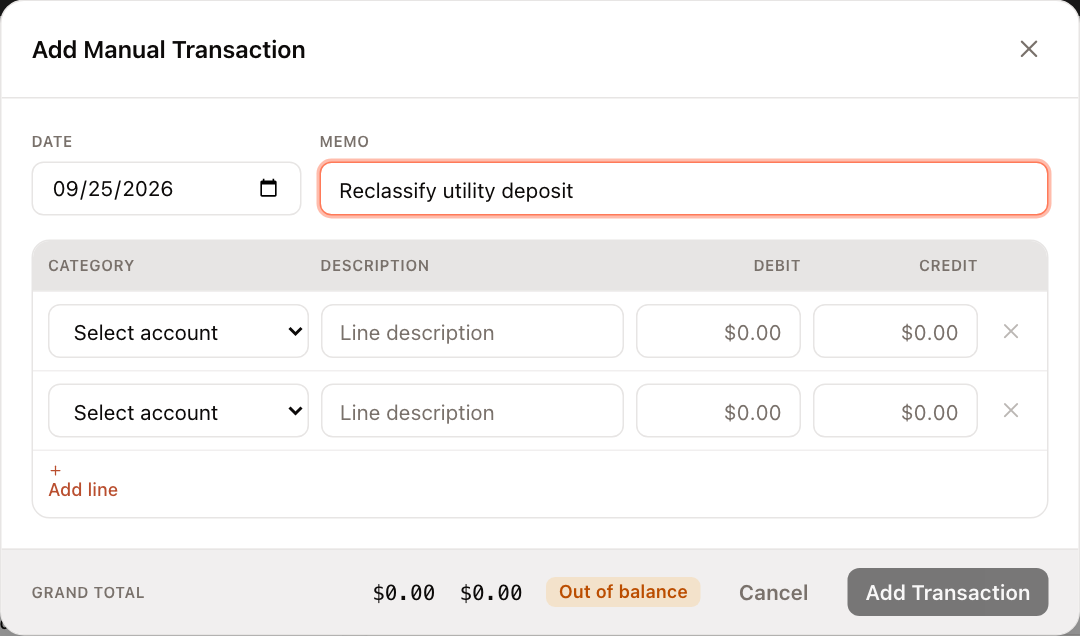
If the date falls inside a closed period, a note under the date says so and you are asked to confirm before the entry is saved. See Close the books.
Edit or delete a manual entry
- Click the entry in the ledger to open its details.
- Click Edit to change it, then Save Changes, or click Delete to remove the journal entry and all of its lines. Deleting cannot be undone.
Only manual entries can be edited or deleted here. Entries created by invoices, payments and bills are changed at their source.
Viewing the ledger and posting manual entries each require their own ledger permission. Without permission to modify the ledger, Add Manual Transaction is hidden and Edit is disabled.