
The chart of accounts lists the general-ledger (GL) categories used across UnitConnect — on bills, invoices, budgets and journal entries. It includes system accounts that UnitConnect provides and accounts your company adds.
Open the chart of accounts
In the sidebar, click Admin, then Chart of accounts.
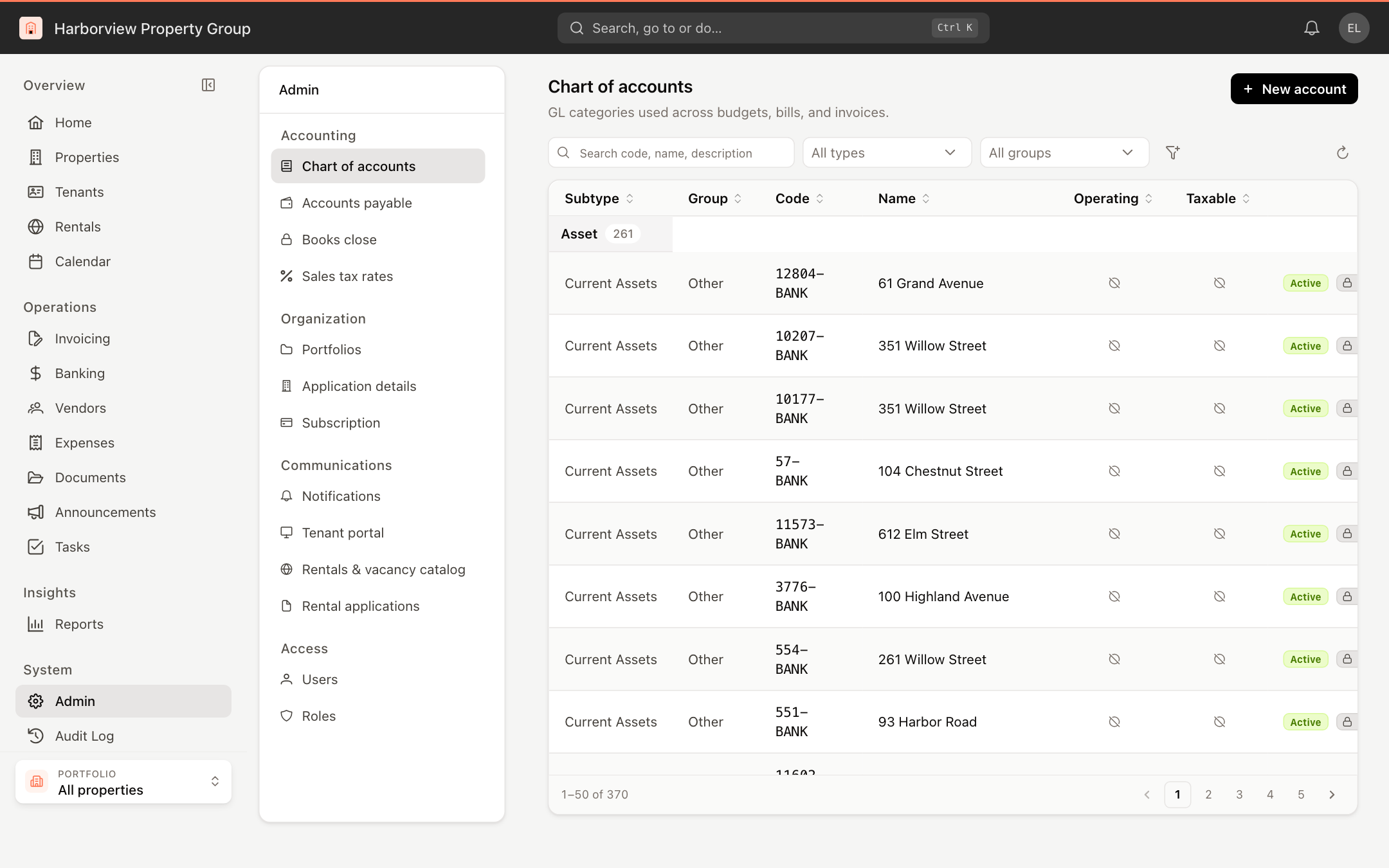
Accounts are grouped by account type. Each row shows the Subtype, Group, Code, Name, whether the account is Operating and Taxable, and two badges: Active or Disabled, and Manual (created by your organization) or System (read-only).
To find accounts, use the search box and the All types and All groups filters. The filter button adds Status, Source, Operating and Taxable filters. Hover over a code and click the copy icon to copy it.
Add an account
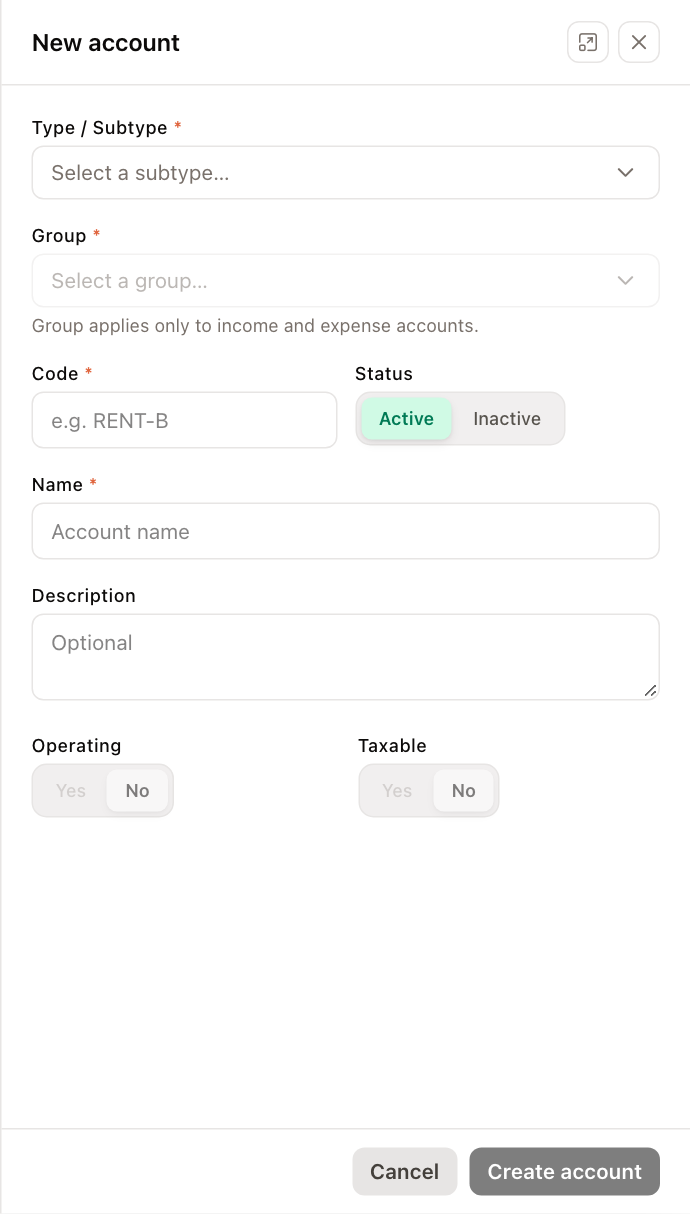
- Click New account.
- Choose the Type / Subtype and the Group. Group applies only to income and expense accounts.
- Enter a Code and a Name, and optionally a Description.
- Set the Status, and whether the account is Operating and Taxable.
- Click Create account.
Edit, deactivate or activate an account
Click one of your own (Manual) accounts to edit it, or click its Options menu (⋮) and choose Edit account, Deactivate or Activate. System accounts have a lock badge and can't be changed.
Adding and changing accounts requires permission to modify the chart of accounts.