
The Calendar brings together your own events and the dates UnitConnect already knows about — lease expirations, rent increases, invoice due dates, payments and scheduled automations — across your portfolio.
Read the calendar
In the sidebar, click Calendar.
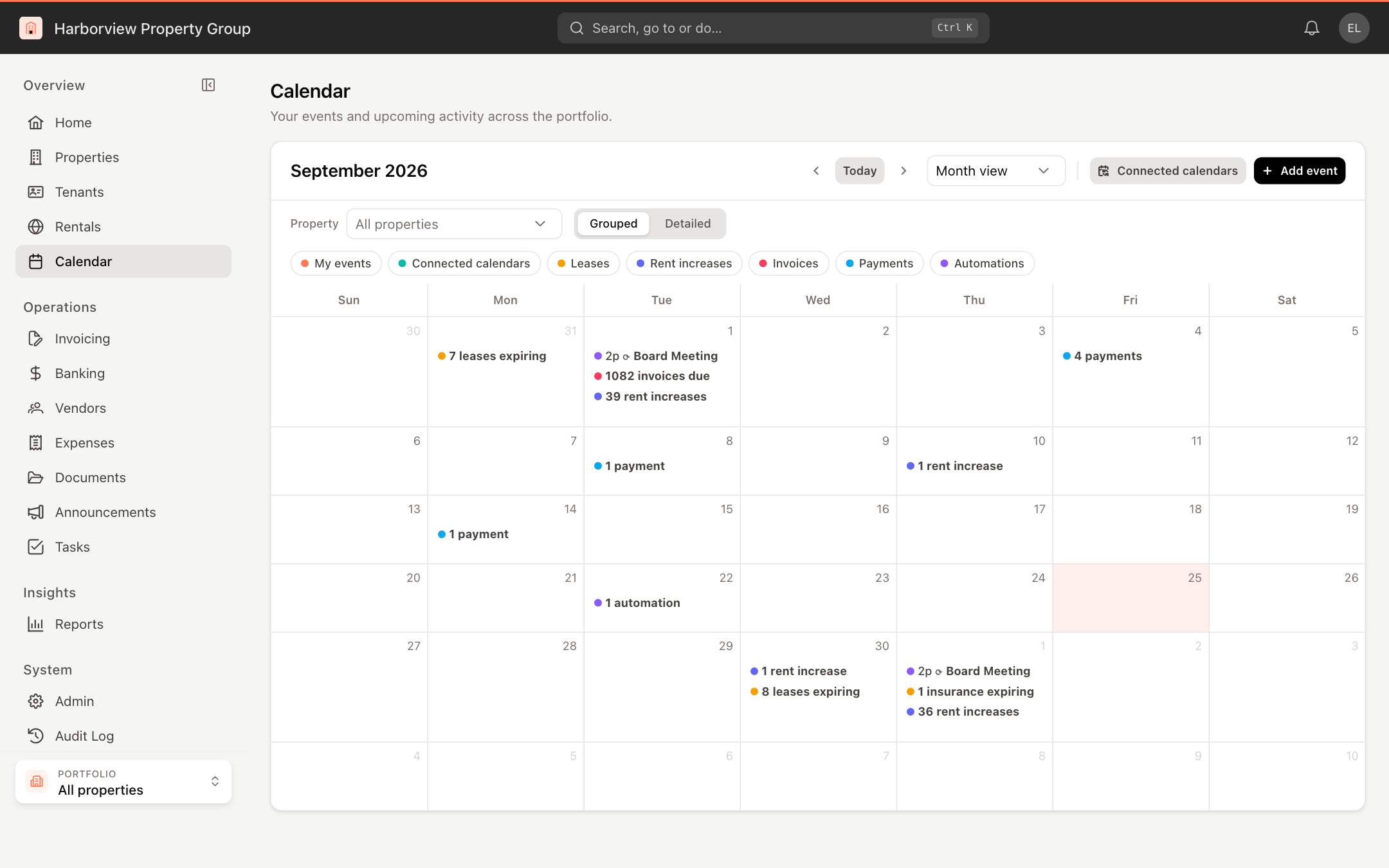
- Use the arrows and Today to move between periods, and choose Month view, Week view, Day view or Agenda view.
- Choose a Property to see only its events.
- Grouped rolls property activity up into one line per type per day (for example "7 leases expiring"); Detailed lists every item.
- Click the chips — My events, Connected calendars, Leases, Rent increases, Invoices, Payments, Automations — to show or hide each kind. The chip colors match the dots on the calendar.
Click a property activity item to see that day's full agenda. Click an event from a connected calendar to open it in Google or Outlook.
Add an event
- Click Add event, or click a day or time on the calendar.
- Enter a Title. Tick All day, or set when it Starts and Ends.
- To repeat it, choose Daily, Weekly or Monthly under Repeat, how often (Every), and when it Ends — never, on a date, or after a number of occurrences.
- Optionally link a Property.
- Choose the Visibility: Shared or Private (only you). The line below says exactly who will see it.
- Pick a Color, add a Description, and click Create event.
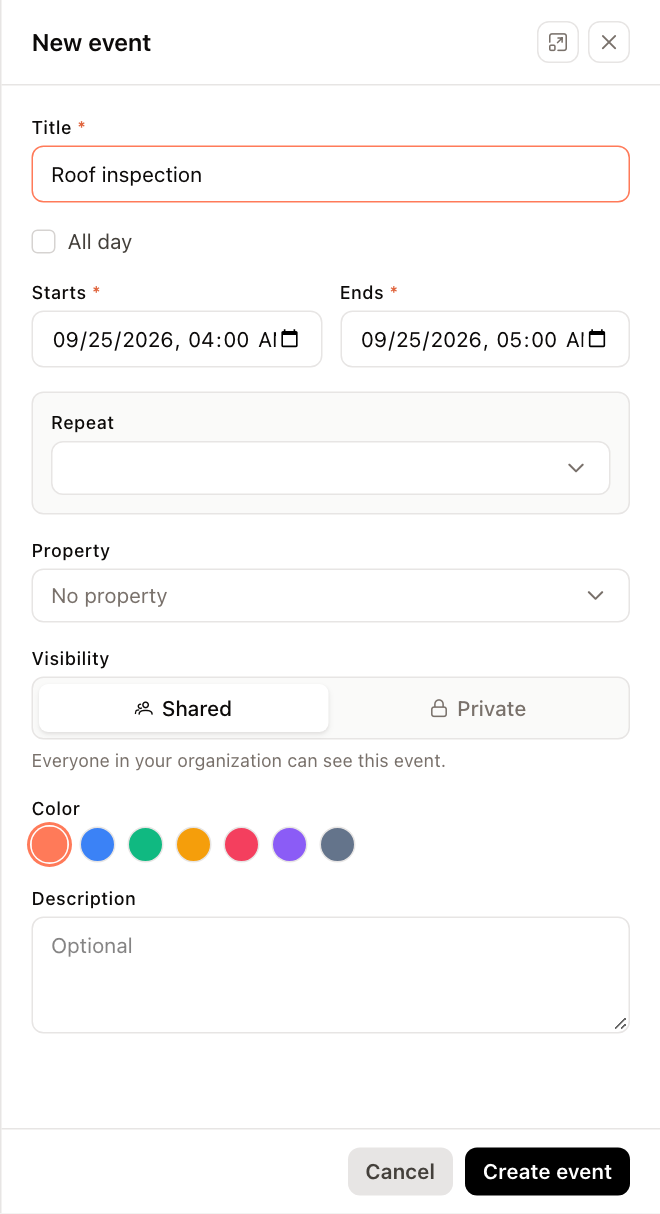
To change an event, click it. For a repeating event, choose This event or All events before editing or deleting. You can also drag a one-off event to another day to reschedule it.
Connect Google or Outlook
- Click Connected calendars.
- Click Connect Google Calendar or Connect Outlook Calendar and sign in to that account.
- Click Calendars on the connection to choose which of its calendars to show, then Save.
Connected events are read-only in UnitConnect and sync automatically. Use Sync now to refresh, Reconnect if the connection has expired, or Disconnect to remove it.
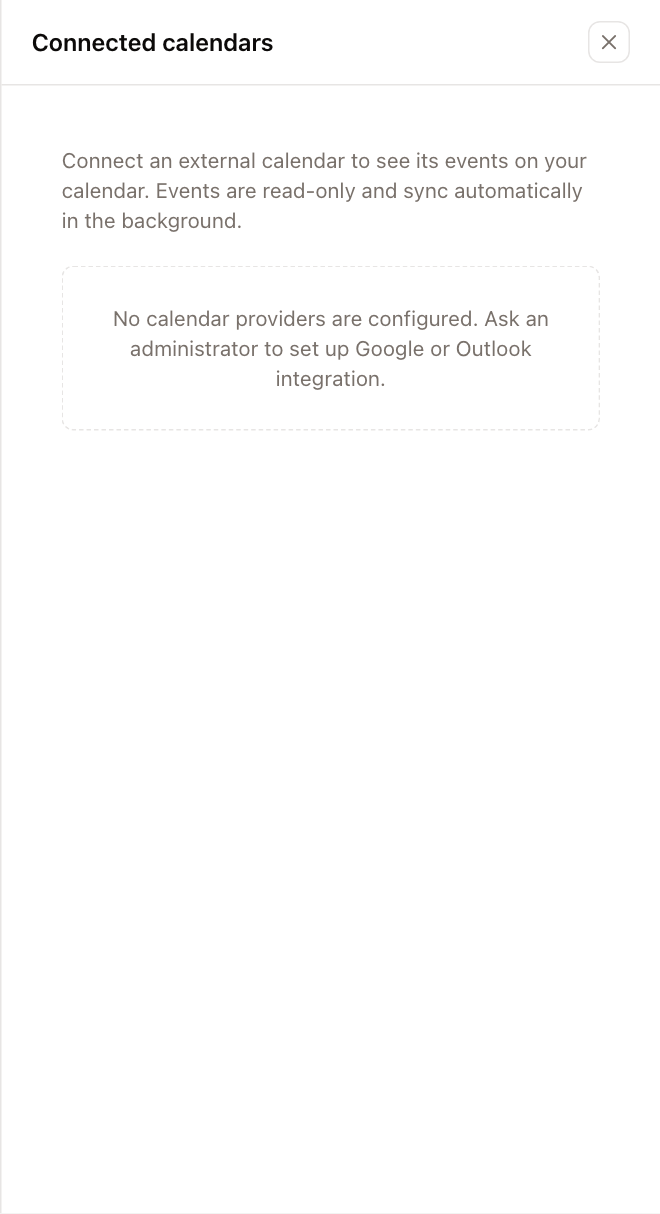
Adding events and connecting calendars requires permission to modify the calendar. If the panel says no calendar providers are configured, ask your administrator to set up the Google or Outlook integration.