
The document library holds every file in UnitConnect in one place — leases, invoices, bill copies, insurance certificates and anything else you upload. Most documents are attached to a record such as a tenant, property, invoice, bill or vendor; folders and tags are optional ways to organize them further.
Browse and find documents
In the sidebar, click Documents. The Library tab opens.
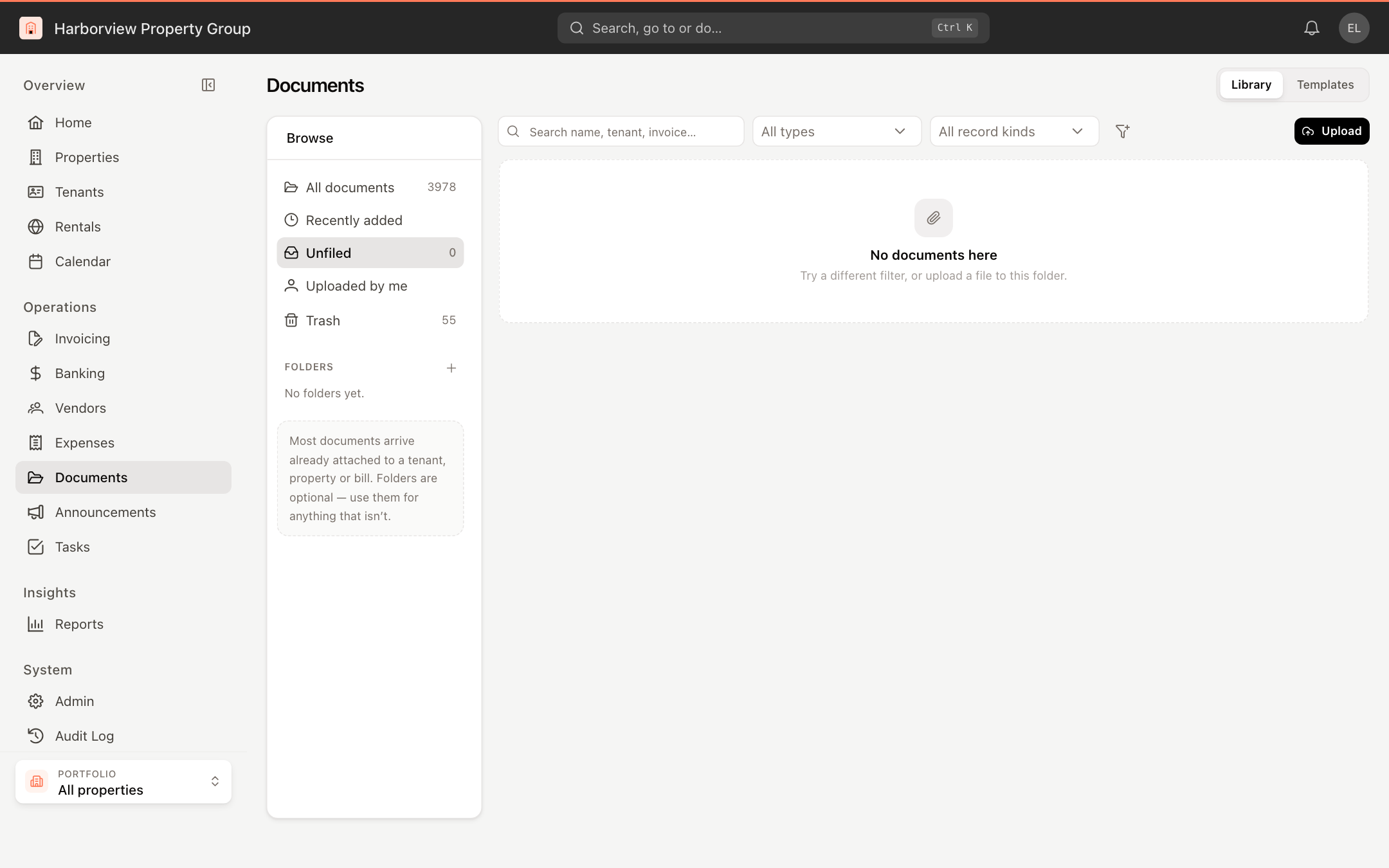
The Browse panel on the left offers All documents, Recently added, Unfiled (documents not attached to any record), Uploaded by me, Trash, and your Folders.
To narrow the list, search by name, tenant or invoice, and use the type and record-kind filters. The filter button adds a Tags filter. The list shows each document's Name, what it's Attached to, its Type, when it was Uploaded and its Size. Click the download icon on a row to download it.
Upload documents
- Click Upload.
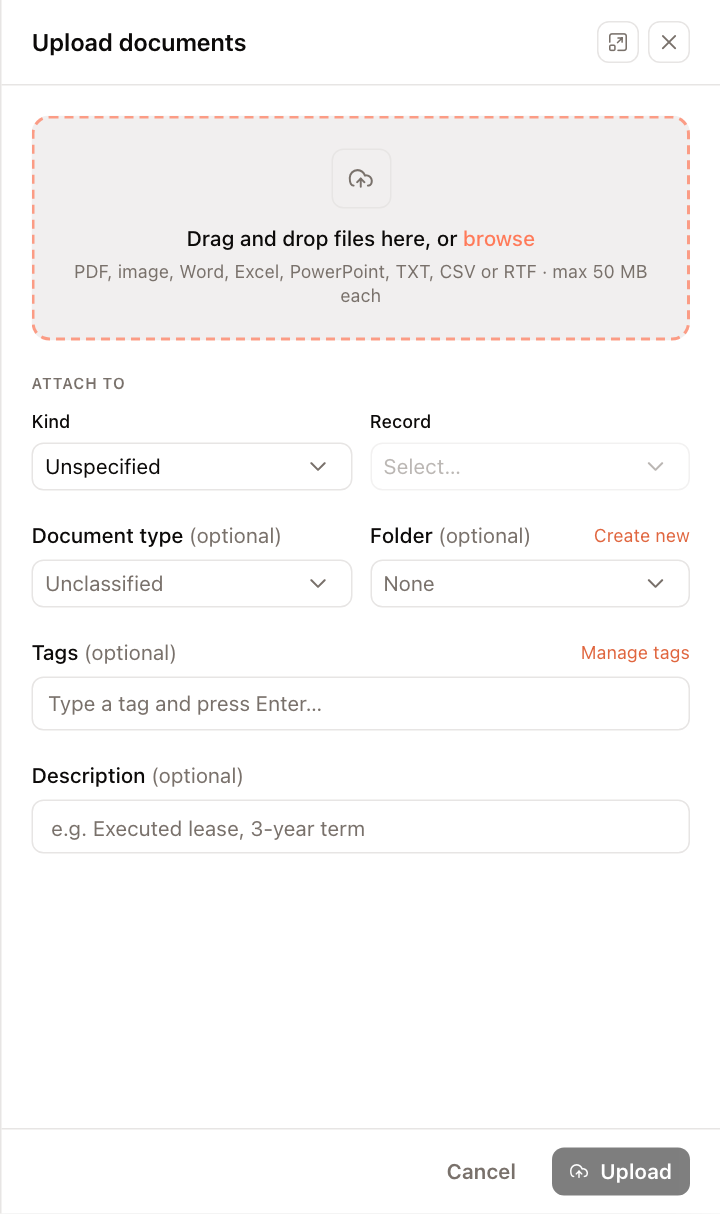
- Drag files into the panel or click browse. PDF, image, Word, Excel, PowerPoint, TXT, CSV and RTF files are accepted, up to 50 MB each.
- Under Attach to, choose the Kind of record (for example Tenant, Property, Invoice, Expense or Vendor) and the Record. Leave it as Unspecified to upload without attaching it.
- Optionally choose a Document type, a Folder (or Create new), Tags and a Description.
- Click Upload.
Work with a document
Click a document to open its details. From there you can:
- Preview or Download it, and Rename it.
- See what it is Attached to and click Change to attach it elsewhere.
- Edit its name, document type and description, and choose its Folder.
- Add or remove Tags.
- Move between versions when a newer copy has replaced it.
Folders, tags and bulk actions
- Click + next to Folders to create a folder, or the pencil next to a folder to rename, move or delete it. Folders can be nested under a Parent folder.
- In the Tags filter, click Manage tags (or Create a tag) to maintain your tag list.
- Tick several documents to Move to folder… or Delete them together. Deleted documents go to Trash, where you can Restore them or Delete permanently.
Uploading, filing, tagging and deleting documents requires permission to manage documents. You only see documents for records you have access to.