
The Billing page lists every invoice on your account. Open it from the menu, or click View invoices on your home page.
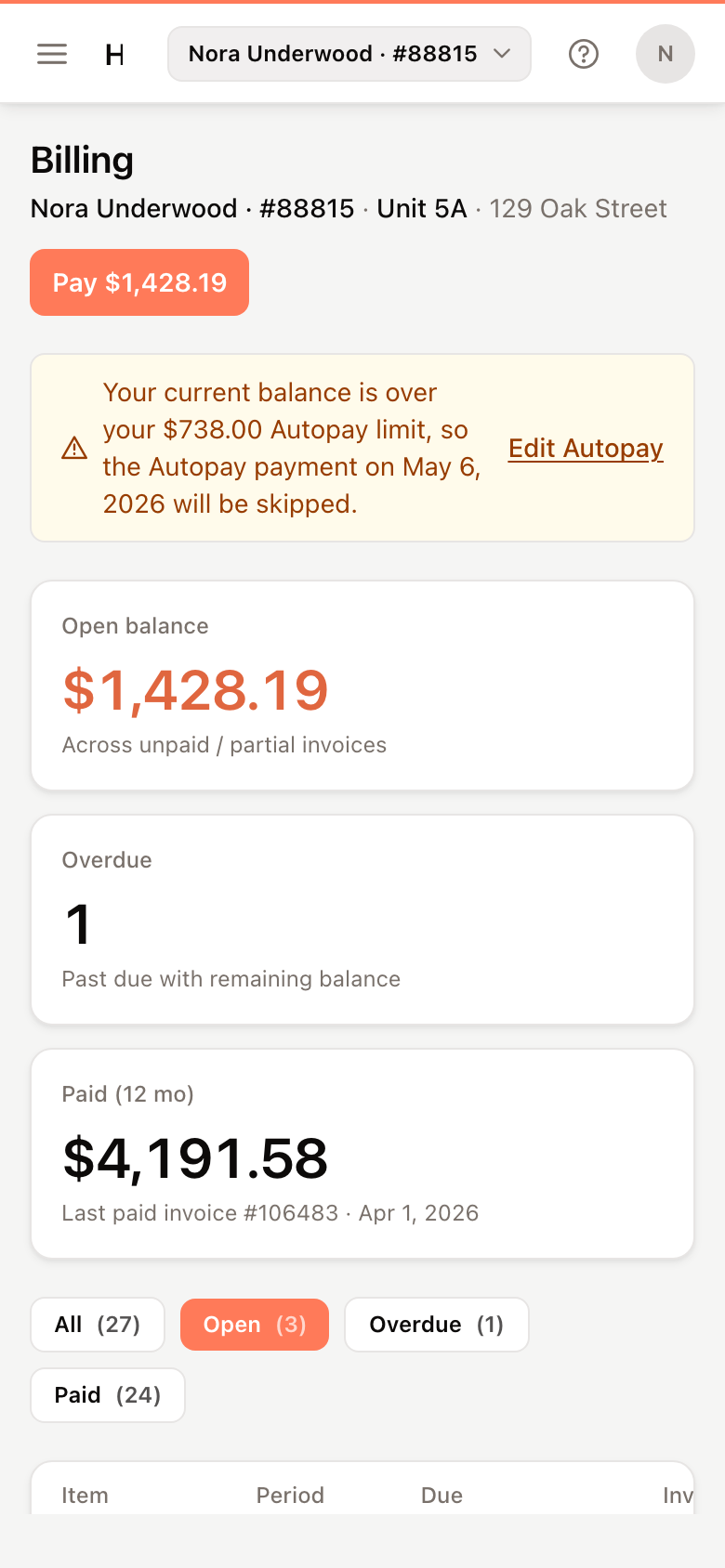
Your balance at a glance
The cards at the top show:
- Open balance — the total still owed on unpaid and partly paid invoices.
- Overdue — how many invoices are past their due date with money still owing.
- Paid (12 mo) — what you've paid on invoices from the last 12 months.
The invoice list
The list opens on Open invoices. Click All, Overdue or Paid to see the others.
Each row shows the invoice number, the period it covers, the due date, the invoice total, the amount due and its state:
| State | Meaning |
|---|---|
| Open | Not paid yet |
| Partial | Partly paid |
| Paid | Paid in full |
| Carried over | The unpaid amount moved onto a later invoice |
| Overdue, Past due | The due date has passed and money is still owing |
| Processing | A payment is on its way |
Open an invoice
Click a row to open the invoice beside the list. It shows the amount due, the period and invoice date, each charge, any payments made against it, and notes from your property manager.
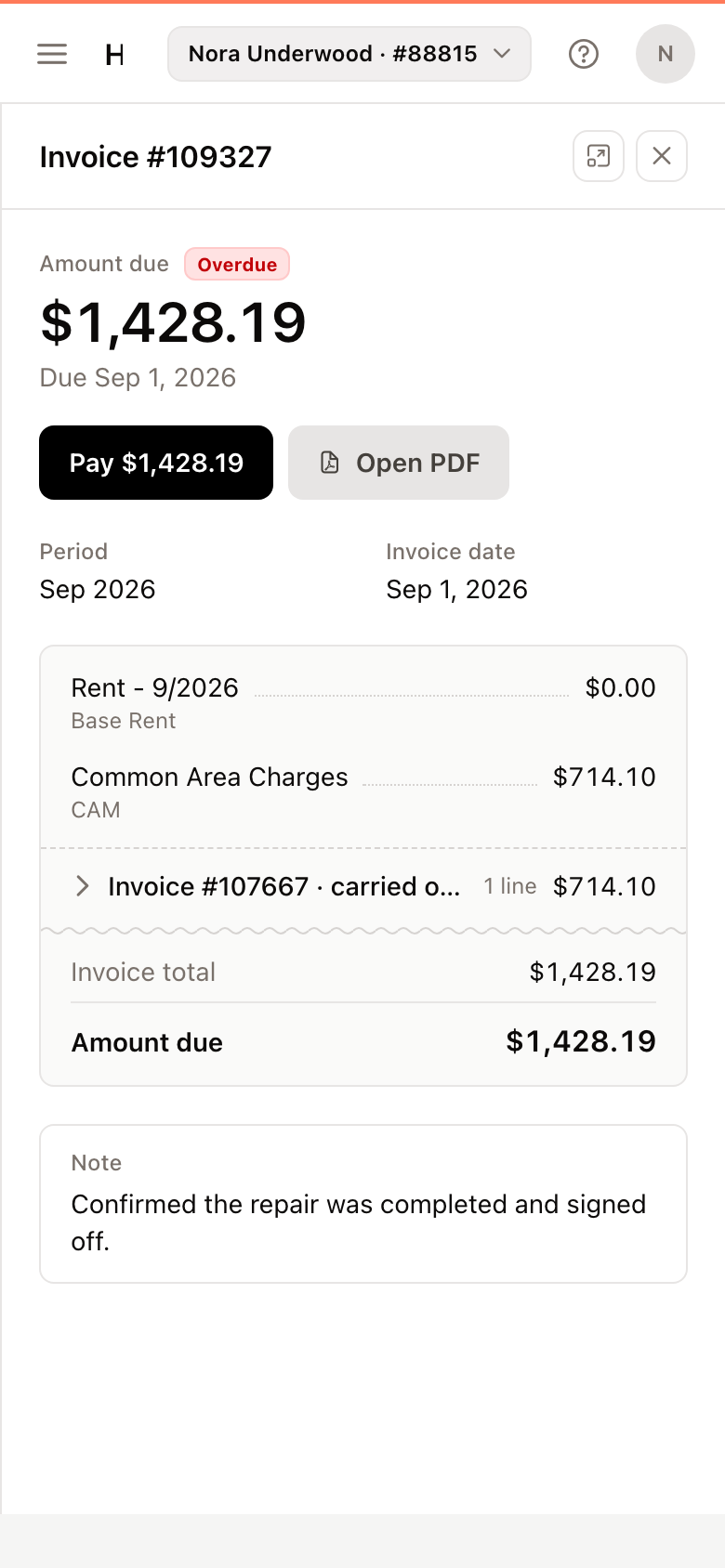
Click Open PDF to view or print the invoice. If your browser blocks pop-ups, the PDF downloads instead.
Carried-over charges
When an invoice isn't paid in full, what's left is carried over to your next invoice. On that invoice the earlier charges appear grouped as Invoice #… · carried over. Click the group to see its lines.
Paying the latest invoice pays the carried-over charges too, which is why only the latest open invoice shows Pay.
Pay appears only if your property manager accepts payments in the portal. See Make a payment. If there's no Pay button, contact your property manager about other ways to pay.