
Save a card or bank account once, then choose it whenever you pay or set up Autopay. Your saved methods are listed under Payment Methods on the Payments page.
Add a card or bank account
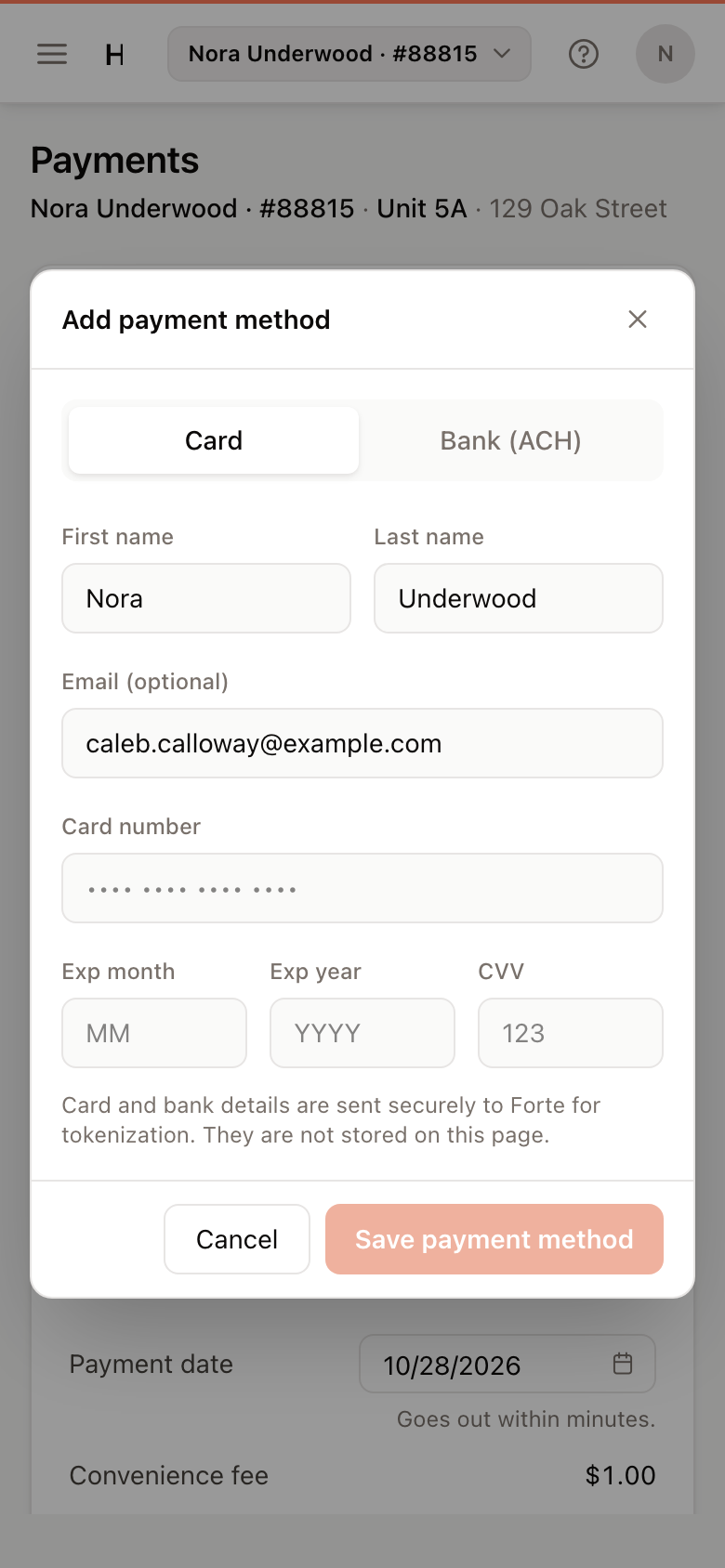
- Open Payments and click Add payment method under Payment Methods. The same button is under Pay with when you pay or set up Autopay.
- Choose Card or Bank (ACH).
- Check your First name and Last name, and add an Email if you want to.
- Enter the details:
- Card: Card number, Exp month, Exp year and CVV.
- Bank (ACH): Routing number, Account number (twice) and Account type (Checking or Savings).
- Click Save payment method.
The new method is saved and selected, ready to pay with.
Note
Card and bank details go straight to the payment processor. They are not stored in the portal.
Remove a payment method
- Under Payment Methods, click the trash icon next to the card or bank account.
- Click Remove.
Warning
Scheduled payments that use the method you remove, including Autopay, are cancelled.
If the portal says New cards cannot be added online for this property yet, contact your property manager about other ways to pay.