
Questions about your lease, your account or the building go to your property manager. Their details and a message form are on the Contact page.
Your property manager's details
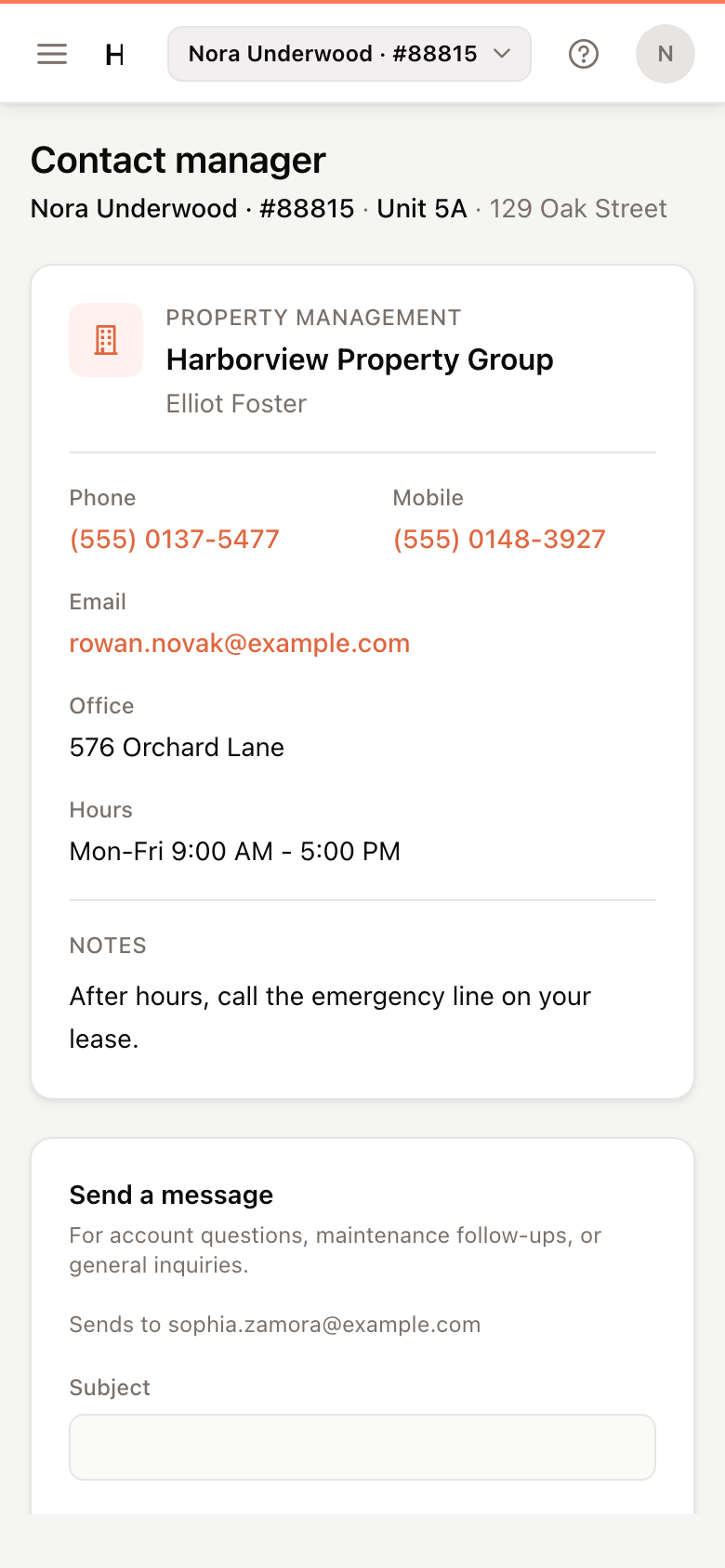
Open Contact from the menu. The card shows whatever your property manager has filled in: their name, Phone and Mobile, Email, Office address and Hours. Notes may say who to call after hours.
On a phone, tap a number to call it.
Send a message
- Under Send a message, enter a Subject and your Message.
- Click Send message.
The portal shows Message queued — your property manager will receive it shortly. Your message is emailed to your property manager.
For repairs, submit a maintenance request instead, so you can follow its progress. See Submit a maintenance request.
If the page says Messaging is unavailable until a manager email is configured for this site, use the phone number or email on the card instead.